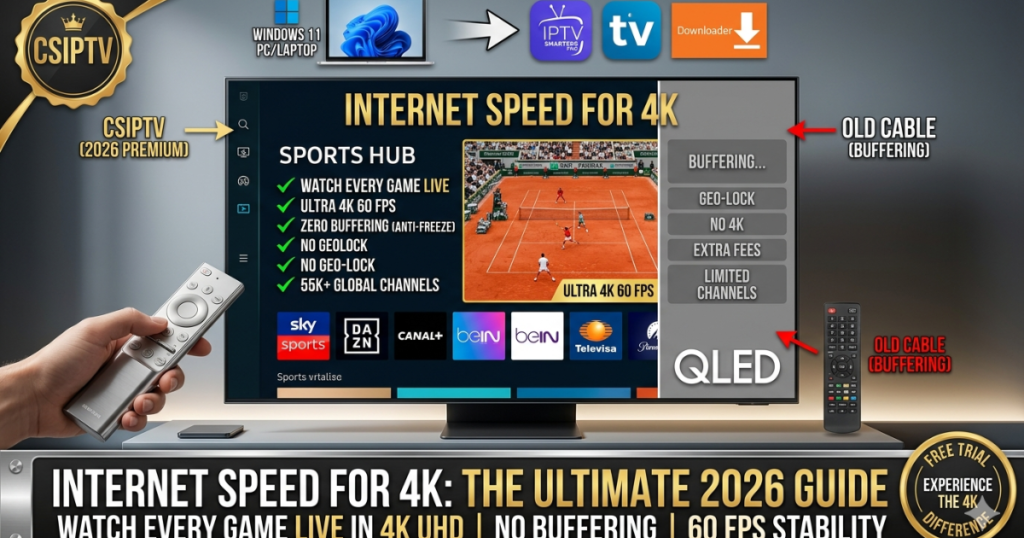
Finding the right Internet Speed for 4K is the difference between a cinematic masterpiece and a frustrating loop of buffering icons. As we move deeper into 2026, streaming bitrates have increased to accommodate higher color depths and better audio formats like Dolby Atmos. This guide will break down the exact technical requirements to ensure your network is ready for the ultimate ultra-high-definition experience.
The Minimum Internet Speed for 4K in 2026
In 2026, the baseline Internet Speed for 4K has shifted due to the widespread adoption of HEVC (H.265) and AV1 codecs. While 15 Mbps was once considered the bare minimum, modern 4K streams—especially live sports—require a consistent download speed of at least 25 Mbps. This ensures that the high-bitrate data packets can be delivered without causing the player to downscale to 1080p.
As the best international IPTV provider, we recommend a “headroom” strategy. If your connection is exactly 25 Mbps, any other device in your house (like a smartphone or a smart fridge) will steal bandwidth, leading to drops in quality. Aiming for a 50 Mbps plan or higher is the safest way to maintain a true UHD picture. You can learn more about us and our high-speed server infrastructure designed for these exact speeds.
Why Bitrate is as Important as Connection Speed
When discussing Internet Speed for 4K, we must also talk about bitrate. Bitrate is the amount of data processed per second. A highly compressed 4K movie on a standard app might only use 15 Mbps, while a premium 4K REMUX or live 4K broadcast from CSIPTV can push 40-80 Mbps. The faster your internet, the higher the bitrate your player can handle, resulting in better textures and less color banding.
This is why some “4K” streams look better than others. As a top provider, we offer raw feeds that require a robust Internet Speed for 4K. If your network isn’t optimized, you might see a “Playlist Failed” error. To avoid this, we suggest you download our speed-test-optimized player apps that are built to maximize the throughput of your home fiber or 5G connection.
Bandwidth Requirements for Multiple 4K Devices
One of the biggest mistakes users make is calculating Internet Speed for 4K for only one device. In a modern 2026 household, you likely have multiple people watching different things. If three people want to watch the Formula 1 Monaco GP 2026 in 4K simultaneously, you will need a total bandwidth of at least 100 Mbps just for streaming.
This is where our multi-device plans come into play. When you check how many devices can use one IPTV subscription, remember that your internet must be able to support them all at once. For families, we recommend a Gigabit (1000 Mbps) plan to ensure that gaming, working from home, and 4K streaming can all happen concurrently without any bottlenecking.
Recommended Speeds for Different 4K Content Types
Not all 4K content is created equal. A slow-paced documentary requires less Internet Speed for 4K than a fast-moving basketball game. Live sports require 60 frames per second (fps), which effectively doubles the amount of data being sent to your screen compared to a 30fps movie. Our channels list features high-fps sports nodes that demand the best from your network.
| Content Type | Recommended Internet Speed for 4K | Stability Level |
| Netflix / Disney+ 4K | 25 Mbps | Medium (Buffered) |
| YouTube 4K 60fps | 35 Mbps | High |
| Live 4K Sports (CSIPTV) | 50 Mbps+ | Ultra-High (Low Latency) |
| 4K Blu-Ray REMUX | 80 – 100 Mbps | Professional Grade |
| Cloud Gaming (4K) | 50 Mbps | Critical (Low Ping) |
How to Test Your Current Internet Speed for 4K
Before you how to set up IPTV subscription details, you should run a specialized speed test. Don’t just look at the “Download Speed”; look at the “Jitter” and “Ping.” For 4K streaming, a jitter higher than 30ms can cause stuttering even if your download speed is 100 Mbps. You want a clean, stable line with zero packet loss.
As the best international IPTV provider, we suggest using the “Analiti” app on your Firestick or the “Speedtest.net” app on your PC. Perform the test during peak hours (usually 7 PM to 10 PM) to see your “real-world” Internet Speed for 4K. If your speeds drop significantly at night, your ISP may be overselling their capacity, which will affect your UHD viewing experience.
The Impact of Latency and Ping on UHD Streaming
While download speed is the headline, latency (ping) is the silent killer of Internet Speed for 4K quality. High latency means it takes longer for your device to “request” the next segment of the video. In 2026, live sports fans need a ping under 50ms to ensure the stream stays “live” and doesn’t fall 2 minutes behind the actual game time.
Our servers are distributed globally to keep your latency low. Whether you are following the FIFA World Cup 2026 Prep Guide or watching local news, we route your traffic through the shortest path possible. To ensure your hardware is responding quickly, refer to our Nvidia Shield Pro Setup Guide 2026 for tips on reducing system-level lag.
Optimizing Your Router for 4K Data Heavy-Lifting
Your Internet Speed for 4K is only as good as your router. Many “free” routers provided by ISPs cannot handle the processing power required to manage multiple high-bitrate 4K streams. We recommend upgrading to a Wi-Fi 6 or Wi-Fi 7 router that features “MU-MIMO” technology, which allows the router to talk to multiple devices simultaneously without queuing data.
For those using the best IPTV app for Firestick, make sure your stick is connected to the 5GHz or 6GHz band. The 2.4GHz band is too slow and prone to interference from microwaves and neighbors’ Wi-Fi, often cutting your Internet Speed for 4K in half. A dedicated streaming router is the best investment you can make for your home theater.
Why Ethernet is Superior to Wi-Fi for 4K
Even with the best Wi-Fi, we always recommend a physical Ethernet cable for the most stable Internet Speed for 4K. Wi-Fi signals can fluctuate based on walls, distance, and even weather. A Cat6 or Cat7 Ethernet cable provides a dedicated, shielded lane for your 4K data, ensuring that your IPTV on Smart TV experience is perfectly smooth.
If your device doesn’t have an Ethernet port, you can use a USB-to-Ethernet adapter. This is a common trick for the Amazon Firestick. By following our guide to install CSIPTV on Firestick, you can see how a wired connection virtually eliminates the “spinning circle” of buffering, allowing the best international IPTV provider content to flow perfectly.
Troubleshooting Buffering on High-Speed Connections
Sometimes you have a 500 Mbps plan, but you still experience lag. This is often due to ISP throttling. ISPs detect high-bandwidth patterns and slow them down to save network capacity. If your Internet Speed for 4K is fast on a speed test but slow in your player app, you are likely being throttled. We have a guide on how to fix IPTV buffering to help you.
The most effective solution is using a VPN or changing your DNS. By following the fix IPTV buffering 2026 protocols, you can mask your traffic and reclaim your full Internet Speed for 4K. As the best international IPTV provider, we ensure our servers are compatible with all major VPNs, allowing you to bypass these artificial limits and enjoy your pricing plan to its full potential.
The Role of Codecs in Bandwidth Management
In 2026, the codec used by your provider determines how much Internet Speed for 4K you actually need. CSIPTV uses H.265 (HEVC), which is much more efficient than the older H.264. This means you can get a better-looking 4K picture at 25 Mbps than an old provider could offer at 50 Mbps. Efficiency is the key to our high-ranking service.
To ensure your device can decode these modern formats, you should use the latest player software. Our IPTV Smarters Pro setup tutorial explains how to enable hardware acceleration. This offloads the video processing from the CPU to the GPU, making the most of your Internet Speed for 4K and preventing your streaming device from overheating during a movie marathon.
4K Streaming on Mobile 5G Networks
Can you get the required Internet Speed for 4K on a mobile phone? With 5G, the answer is a resounding yes. 5G networks in 2026 frequently hit speeds of 200 Mbps+, which is more than enough for UHD. However, mobile data can be unstable. If you are watching on the go, our app uses adaptive bitrate to ensure the stream doesn’t stop, even if your signal drops slightly.
This mobility is a hallmark of the best international IPTV provider. You can take your 4K subscription anywhere. Whether you are at a cafe or on a train, as long as you have a solid 5G signal, your Internet Speed for 4K will be sufficient. Just be mindful of your data cap, as one hour of 4K streaming can consume up to 7GB to 10GB of data.
Preparing for 8K: Is Your Speed Ready?
While this guide focuses on Internet Speed for 4K, 8K content is starting to appear in 2026. 8K requires four times the data of 4K, meaning you will need a minimum of 100 Mbps per stream. If you are planning to future-proof your home, look for a fiber-to-the-home (FTTH) provider that offers at least 500 Mbps.
As the best international IPTV provider, we are already testing 8K nodes for major events. Staying ahead of the Internet Speed for 4K curve ensures that our users are always at the cutting edge of technology. We recommend keeping an eye on our blog for updates on when we will fully roll out 8K channels to our Elite plan members.
Managing Your Home Network for UHD Success
To maintain your Internet Speed for 4K, you must manage your network’s “Quality of Service” (QoS). Many modern routers allow you to prioritize certain devices. You should set your streaming box or Smart TV as a “High Priority” device. This tells the router to give it the bandwidth it needs before distributing the rest to laptops or phones.
This is a pro-level tip for maintaining the best international IPTV provider quality. Even if someone starts a large download in another room, your Internet Speed for 4K will remain locked, preventing any mid-movie drops in resolution. It’s these small technical adjustments that separate a standard setup from a professional 2026 home cinema.
The Future of High-Speed Streaming in 2026
The demand for Internet Speed for 4K is only going to grow as bitrates continue to climb. Providers are moving toward “Lossless” audio and HDR10+, which add even more data to the stream. By investing in a high-speed connection today, you are ensuring that your entertainment system remains relevant for years to come.
At CSIPTV, we are committed to being the best international IPTV provider by constantly upgrading our backend. We work with global CDNs to ensure our content is delivered at lightning speeds. If you’re ready to see what your internet is truly capable of, visit our contact page to request a trial and experience the power of uncompressed 4K.
Summary: The Golden Rules of 4K Streaming
To wrap up our guide on Internet Speed for 4K, remember these three golden rules:
- Speed: Have at least 25 Mbps per 4K stream (50 Mbps for sports).
- Stability: Use an Ethernet cable whenever possible to avoid Wi-Fi jitter.
- Hardware: Use a modern device that supports HEVC/AV1 hardware decoding.
By following these rules and choosing a premium provider like CSIPTV, you are guaranteed a world-class viewing experience. No more buffering, no more pixelated screens—just pure, crystal-clear 4K entertainment as it was meant to be seen.
FAQs: Your Speed Questions Answered
Q. Why does my 4K stream look like 720p?
Ans: Your Internet Speed for 4K might be fluctuating. Most apps use “Adaptive Bitrate,” which lowers quality to prevent buffering if your speed drops below 15 Mbps.
Q. Is 100 Mbps enough for 4K?
Ans: Yes, 100 Mbps is excellent. It allows for two simultaneous 4K streams with plenty of room left over for browsing and social media.
Q. Does a VPN slow down my Internet Speed for 4K?
Ans: A high-quality VPN shouldn’t slow you down by more than 10%. In some cases, it can actually speed you up if your ISP is throttling your streaming traffic.
Q. How much data does 4K use per hour?
Ans: A typical 4K stream uses between 7GB and 15GB per hour, depending on the bitrate. If you have a data cap, monitor your usage closely.
Q. Can I stream 4K on a 10 Mbps connection?
Ans: No, 10 Mbps is not enough for stable 4K. You will experience constant buffering or the app will automatically switch to 1080p or 720p.
Test Your Speed with the Best!
Don’t let slow internet ruin your favorite show. Join the best international IPTV provider and experience true 4K stability.
- Email Support: support@csiptv.com
- Trial Access: Get Your 24-Hour Trial
- View Plans: Choose Your 4K Elite Plan