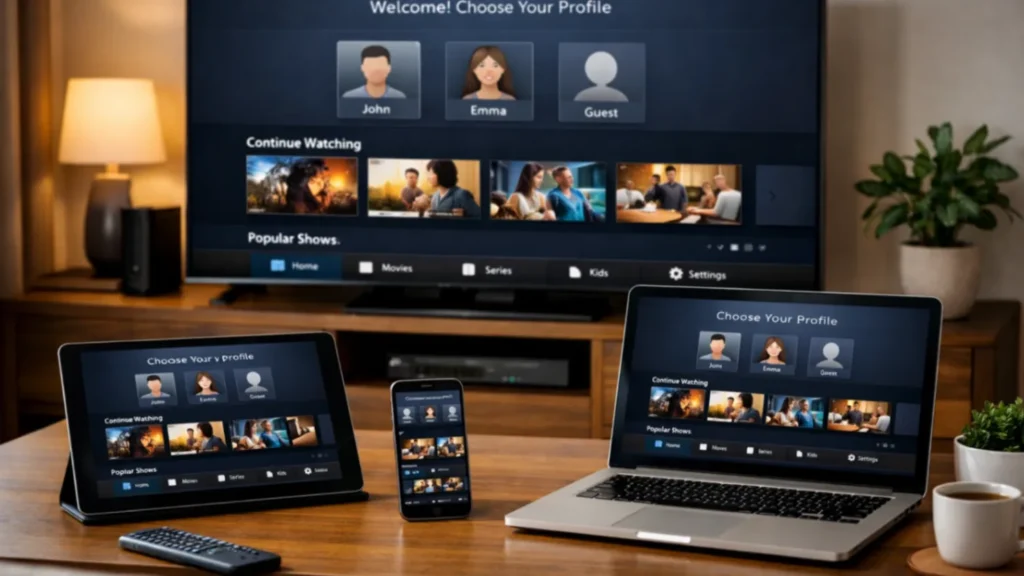
If you want better streaming quality and easier navigation, choosing the best IPTV app for Firestick matters almost as much as choosing the subscription itself. The player app is what you use every day. It affects how quickly channels open, how the guide looks, how favorites are saved, and how simple the whole experience feels for your family.
This guide explains how to evaluate IPTV player apps for Firestick and Smart TV without chasing hype. It focuses on legal setup, usability, compatibility, and comfort. Instead of treating every app as equal, we will look at what really matters when you want smooth daily streaming.
Why the player app matters so much
Your IPTV service gives you access, but the app delivers the experience. A weak app can make a good subscription feel frustrating. A good app can make channel browsing, guide navigation, and VOD access feel fast and simple.
The best IPTV app for Firestick should offer:
- Fast startup and channel loading
- Good support for EPG or TV guide data
- Simple login options
- Easy remote control navigation
- Clean layout for live TV, VOD, and series
- Stable performance over time
What to look for in the best IPTV app for Firestick
1. Firestick-friendly design
Some apps work better on touchscreens than on TV remotes. The best IPTV app for Firestick should feel natural with up, down, left, right, and select controls. If the app is hard to navigate with a remote, the experience will become annoying fast.
2. Easy login support
Different IPTV services provide different account formats. A good app should support common methods like username and password, portal details, or M3U playlists. The fewer login issues you face, the faster setup becomes.
3. EPG and category organization
A strong guide layout helps users find channels faster. Good category handling also matters. Sports, movies, entertainment, kids, and local channels should be easy to browse.
4. Stability and updates
An app that looks good but crashes often is not a strong long-term choice. Check whether the app receives updates and whether the publisher maintains it well.
5. Performance on modest hardware
Firestick devices are convenient, but they are not powerful desktop computers. The best IPTV app for Firestick should run well without heavy lag or slow loading.
How to compare IPTV apps in a smart way
Many comparison pages only list app names without real guidance. A better way is to compare apps based on your actual use case.
- If you care most about remote control comfort, focus on TV-friendly layout
- If you care most about guide quality, focus on EPG support
- If you switch between live TV and VOD often, focus on category speed
- If you want the easiest setup, focus on simple login methods
This is why there is no perfect answer for everyone. The best IPTV app for Firestick depends on the user, the provider format, and the device in the living room.
Firestick versus Smart TV app experience
Some users ask whether they should use a Smart TV app or a Firestick app. In many cases, Firestick wins because app support tends to be stronger and updates are easier. Some Smart TVs have limited app stores or fewer optimized IPTV players. Firestick can also be easier to replace later if you want an upgrade.
For Smart TV support, it is useful to review manufacturer guidance such as Samsung TV support and LG support.
Questions to ask before choosing an app
- Does the app support my provider’s login format?
- Is the interface easy to use with a Firestick remote?
- Does it support EPG and favorites?
- Does it feel fast on my device?
- Is it updated regularly?
- Can I use it comfortably every day?
Signs an IPTV app may not be right for you
- Menus feel slow or confusing
- Channel groups are hard to browse
- Login fails even with correct details
- The app crashes often
- The guide does not load properly
- The text is too small or hard to read from a sofa
These issues matter because a streaming setup is not only technical. It is part of your evening routine. If the app feels frustrating, the whole service feels worse.
Best practices when testing the best IPTV app for Firestick
If you want to compare apps fairly, use the same subscription on each one if your provider allows it. Then compare the following:
- Channel loading speed
- Guide loading time
- Search quality
- How easy favorites are to create
- Playback stability over 20 to 30 minutes
- Ease of moving between live TV and on-demand content
This gives you a more realistic answer than simply reading a short review.
Why app choice affects support and retention
A good app reduces confusion. That means fewer support requests, fewer complaints about playback that are actually interface issues, and better retention for users. If your provider gives clear setup support and you pair it with the right player app, your experience usually improves immediately.
Where to install apps safely
Use official app stores and official publisher instructions whenever possible. For Fire TV devices, the safest starting point is Amazon’s official help and app ecosystem, such as Amazon Fire TV support. For Android TV and Google TV devices, official help from Google is also useful at Android TV Help.
What makes an app good for families
Many IPTV users are not watching alone. In family homes, the best IPTV app for Firestick is usually the one that is easiest for everyone to understand. Clear categories, visible guide data, readable text, and simple favorites matter more than flashy design.
Final thoughts on the best IPTV app for Firestick
The best IPTV app for Firestick is not always the one with the loudest reputation. It is the one that fits your login type, works well with your provider, runs smoothly on your device, and feels easy every day. Focus on official installation methods, remote-friendly design, stable performance, and clear guide support. If you do that, you will usually make a better long-term choice for your home streaming setup.
FAQ
Is the best IPTV app for Firestick always the same for every user?
No. The best option depends on your provider format, your device, and the way you like to watch content.
Should I choose an app based only on appearance?
No. Speed, guide support, stability, and remote navigation matter more over time.
Do Smart TVs always have the same app options as Firestick?
No. Firestick often has broader app support, which is why many users prefer it.
Can a good IPTV app improve streaming quality?
It can improve the experience, but network quality and provider performance still matter a lot.
Why should I test more than one player app?
Because one app may feel much better with your provider and your remote control than another.