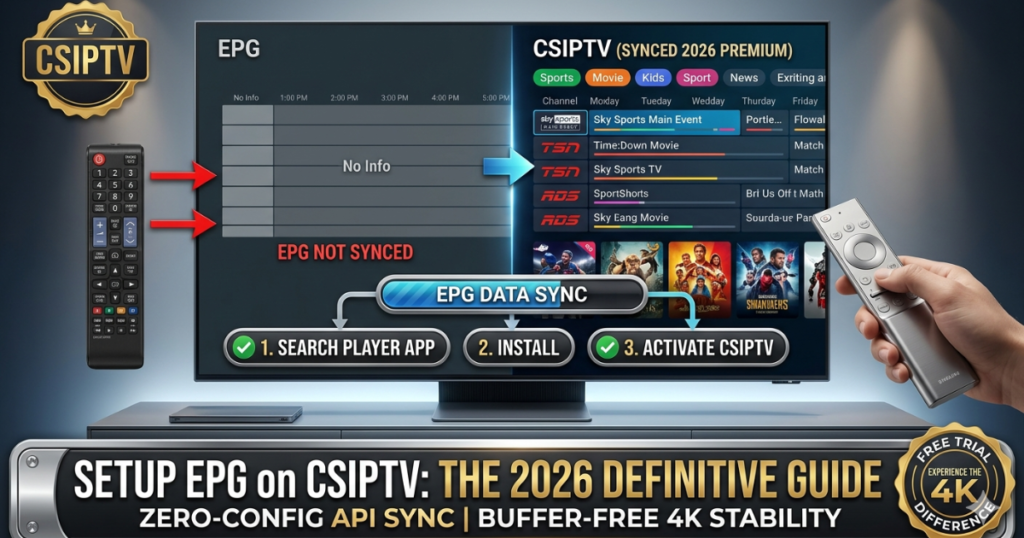
What is an EPG and Why is it Critical for CSIPTV?
An EPG (Electronic Program Guide) is the digital map of your entertainment. Without a properly configured EPG, your IPTV player will simply show a list of channel names like “Sky Sports Main Event” without telling you what is currently playing, what time it ends, or providing a plot summary.
At CSIPTV, our EPG is delivered via the XMLTV format, which is baked directly into our Xtream Codes Login. This means when you login, your device isn’t just getting video—it’s getting a massive database of metadata including:
- Program Titles & Descriptions: Know exactly what you’re watching.
- Channel Logos: High-resolution icons for faster navigation.
- Start/End Times: Visual progress bars for live shows.
- 7-Day Catch-Up: The guide tells the server which shows to record for later viewing.
The “Zero-Step” Method: Setup EPG via Xtream Codes
The easiest and most secure way to setup EPG on CSIPTV is by using our API credentials. This method is preferred over M3U links because it automatically syncs the EPG URL without requiring you to type a second long address.
How it Works:
- Open your player (e.g., IPTV Smarters Pro or TiviMate).
- Select “Login with Xtream Codes API”.
- Enter your CSIPTV Username, Password, and Server URL.
- Once you click “Add User”, the app will show a progress bar: “Downloading Channels… Downloading EPG…”
- Important: Do not close the app until the EPG download reaches 100%. This initial sync builds the database on your device.
Manual EPG Setup for Advanced Players (M3U Method)
If you are using a player that only supports M3U (like VLC or certain older Smart TV apps), you will need to enter the EPG Source URL manually.
The CSIPTV EPG Link Structure:
Your EPG URL follows a specific pattern based on your account details:
http://csiptv.link:8080/xmltv.php?username=YOUR_USER&password=YOUR_PASS
Steps for Manual Entry:
- Navigate to the Settings or Playlist section of your app.
- Look for “EPG Sources” or “XMLTV Sources”.
- Click “Add Source”.
- Paste your unique CSIPTV EPG URL.
- Set the Refresh Interval to “Every 24 Hours” to ensure your guide is always current [4.1].
Device-Specific EPG Optimization (Firestick & Android TV)
On hardware like the Firestick 4K Max, the EPG data is stored in the app’s cache. If the guide looks empty, follow these optimization steps:
- TiviMate Users: Go to
Settings > EPG > Update on App Start. This ensures that every time you sit down to watch, the latest schedules are fetched immediately. - IPTV Smarters Users: Click the “Install EPG” button on the main dashboard. If it says “No Program Found,” click the Settings gear icon, go to EPG Timeline, and select “Refresh EPG”.
- Storage Check: EPG files can be large (up to 100MB). Ensure your device has at least 500MB of free space to allow the database to index properly [2.1].
Troubleshooting “EPG Not Showing” on CSIPTV
If your channels are working but the guide is blank, don’t panic. This is usually a sync issue rather than a server problem.
| Issue | Technical Solution |
| Wrong Time/Offset | Go to App Settings > EPG > EPG Time Shift. Adjust by +1 or -1 hour to match your local Australian or US time zone. |
| “No Information” | The database is likely corrupted. Go to Settings > Clear EPG Cache and then click Update EPG. |
| Missing Logos | Ensure “Channel Logos from EPG” is enabled in your player’s OSD (On-Screen Display) settings. |
| Slow Loading | Your ISP might be throttling the XMLTV data. Connect to a VPN and try refreshing again [1.2]. |
Why CSIPTV’s EPG is Superior to Budget Providers
Many budget providers use “Dummy EPGs” that only show 12 hours of data or lack descriptions entirely. At CSIPTV, our business invests in premium data feeds to provide:
- Accuracy: We use official “Schedules Direct” style data for US, Canada, and UK channels [4.1].
- Depth: Full 7-day program look-ahead.
- Rich Metadata: Includes genre tags (e.g., “Sports,” “Movie,” “Kids”) allowing you to filter your guide by category.
How to Secure Your EPG Data
Your EPG URL contains your login credentials. To keep your account secure:
- Never Share the URL: Posting your M3U or EPG link in forums will lead to account hijacking.
- Use HTTPS: If your player supports it, use the
https://version of our server URL to encrypt the data transfer. - Regular Password Changes: Update your password on the CSIPTV Client Portal every 6 months to maintain security.
CSIPTV Subscription Plans with Premium EPG
Every one of our Pricing Plans comes with full access to our global EPG servers. There are no “extra fees” for the guide.
| Plan | Price | EPG Features | Best For |
| 1 Month | €14.99 | Standard 7-Day Sync | Short-term Testing |
| 3 Months | €25.99 | High-Priority EPG Refresh | Sports Fans (NHL/F1) |
| 12 Months | €39.99 | VIP Metadata Access | Premium Home Cinema |
Frequently Asked Questions (FAQs)
1. Does the EPG update automatically?
Yes, if you use the Xtream Codes API, the app will check for updates every time it opens. If you leave your device on 24/7, we recommend setting a “Daily Refresh” in your app settings.
2. Why do some channels have no EPG?
While we cover 98% of channels, some niche international or 24/7 “Loop” channels (like movie marathons) do not provide a broadcast schedule.
3. Can I use a third-party EPG (like m3u4u)?
While possible, it is not recommended. Our internal EPG is already mapped to our channel IDs (tvg-id). Using an external source often results in “Channel Mismatch” where the guide doesn’t line up with the video [4.1].
Take Control of Your TV
A great TV service deserves a great guide. Setup EPG on CSIPTV today and enjoy the luxury of knowing exactly what’s on, right now and for the week ahead.
- Try the Quality: Get your 24-Hour Free Trial and see the full EPG in action.
- Go Premium: Buy the 12-Month Plan for the most stable and detailed guide in 2026.