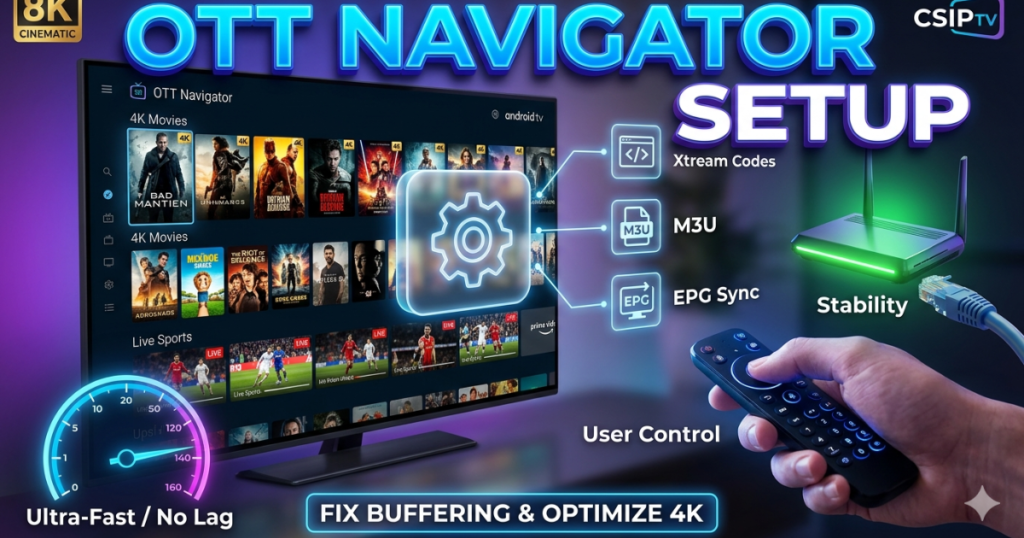
Establishing a professional OTT Navigator Setup transforms your standard Android box into a high-performance media center with advanced customization. This application offers a sleek, tablet-style interface that organizes thousands of channels into manageable categories for a smoother browsing experience. CSIPTV provides the robust server backbone required to feed this application with high-bitrate 4K content without any stuttering. This guide explores the various methods to configure your player, common pitfalls to avoid, and expert solutions for the most stable viewing environment in 2026.
Initiating the OTT Navigator Setup with Xtream Codes
The Xtream Codes method represents the most reliable way to complete your OTT Navigator Setup for daily use. You first need to open the application and navigate to the “Providers” section to add a new playlist. Select the Xtream Codes option and enter the server URL, username, and password that CSIPTV provides in your subscription email. This method allows the player to sync your channels and VOD library automatically with our central database for real-time updates.
Using Xtream Codes ensures that your Electronic Program Guide (EPG) remains accurate without manual intervention. The application fetches the latest metadata every time you launch the player, keeping your schedule perfectly synchronized. CSIPTV optimizes its API to deliver this data rapidly, ensuring that your channel list populates within seconds. This method offers a superior level of stability compared to static file uploads and remains the preferred choice for professional users globally.
Configuring the M3U Playlist Method for Advanced Users
Some enthusiasts prefer the M3U method for their OTT Navigator Setup to gain more control over specific stream links. You can obtain your unique M3U URL from our pricing dashboard after you activate your premium account. Simply copy this link and paste it into the “Playlists” section of the OTT Navigator app to load your entire library. This method works exceptionally well on devices with limited storage because the app streams the data directly from our high-speed servers.
You must ensure that you select the “M3U Plus” format to include essential channel logos and category markers. CSIPTV provides a clean, well-organized M3U file that makes navigation simple and intuitive for every family member. We recommend this method if you plan to use specialized network configurations or external media managers like IPTV Smarters. This flexibility allows you to tailor your viewing experience to your specific hardware and network requirements without any technical limitations.
Exploring the Stalker Portal Method for Classic Interfaces
The Stalker Portal method offers a familiar interface for users who previously used MAG boxes or older hardware. To begin this OTT Navigator Setup, you must provide us with the MAC address of your device through our contact page. We then white-list your device on our servers and provide a portal URL for you to enter into the app. This creates a dedicated “handshake” between your hardware and our infrastructure for a highly secure connection.
Once you enter the portal address, the application loads a classic, grid-style layout that many viewers find comforting and easy to use. This method prioritizes speed and efficiency, making it perfect for older Android boxes with less processing power. CSIPTV maintains dedicated Stalker servers to ensure that these connections remain as stable as our modern Xtream API links. This variety of connection methods ensures that every user finds a setup that perfectly matches their personal preferences.
Integrating TiviMate with OTT Navigator for Dual Power
Many users choose to maintain a secondary OTT Navigator Setup alongside their primary TiviMate integration. Having two professional players allows you to test different layouts and ensures you always have a backup for major events. OTT Navigator excels at displaying VOD posters and detailed movie descriptions, while TiviMate offers an unmatched live TV guide experience. CSIPTV supports both applications simultaneously under our multi-device plans for the ultimate home theater flexibility.
You can easily export your settings from one player and import them into the other to save time during the configuration phase. This “dual-player” strategy is particularly useful when you want to watch NHL playoffs on one screen while monitoring a news feed on another. Our servers handle the simultaneous data requests from different applications without any loss in 4K resolution. CSIPTV empowers you to build a multi-layered entertainment system that utilizes the best features of every available software.
Identifying the Reasons for Buffering and Lag Issues
Buffering remains the most frustrating problem during a OTT Navigator Setup, and it usually occurs due to network congestion. If your internet speed drops below 25 Mbps, the player cannot download the 4K data fast enough to keep up with the playback. Another common reason involves local Wi-Fi interference from other household appliances or neighboring networks. CSIPTV recommends using a wired Ethernet connection to eliminate these wireless inconsistencies and maintain a steady data flow.
Incorrect “Buffer Size” settings within the app can also cause the stream to pause frequently during high-action scenes. If the buffer is too small, a minor network dip stops the video; if it is too large, the channel takes too long to start. We suggest setting your buffer to “Medium” or “3 seconds” to strike the perfect balance between stability and speed. CSIPTV provides high-bandwidth streams that require a solid network foundation to shine on your high-definition television.
Solving Audio and Video Sync Problems Instantly
Users sometimes encounter a “Lip Sync” issue where the audio does not match the movement on the screen. This often happens because the device’s hardware decoder struggles to process complex 4K codecs like H.265. You can solve this within the OTT Navigator Setup by switching the player’s decoder from “Hardware” to “Software” or “Hardware+.” This forces the app to use a more compatible processing method that aligns the audio and video tracks perfectly.
Another reason for sync issues involves the refresh rate of your TV not matching the frame rate of the broadcast. You should enable the “AFR” (Auto Frame Rate) feature in the OTT Navigator settings to synchronize your display with our source feed. This creates a much smoother experience for high-speed events like the 24 Hours of Le Mans. CSIPTV delivers professional-grade feeds that look best when your hardware and software work in perfect harmony.
Troubleshooting the “Playlist Failed to Load” Error
The “Playlist Failed to Load” error usually signals an issue with your credentials or a typo in the server URL. You must double-check every character in your OTT Navigator Setup to ensure you did not accidentally add a space or miss a period. If the error persists, your Internet Service Provider (ISP) might be blocking the connection to our streaming servers. Using a reputable VPN or switching to a different DNS like Google (8.8.8.8) usually bypasses these local restrictions immediately.
Expired subscriptions also trigger this error, so you should check your account status on our about us page. If your payment is up to date, try clearing the app cache and force-stopping the application to refresh the connection. CSIPTV maintains a 99.9% server uptime, so the problem almost always lies within the local device configuration or ISP filters. We provide 24/7 technical assistance to help you identify the root cause of any connection failure.
Preventing Connection Limits and Account Lockouts
Exceeding your allowed connection limit will cause the OTT Navigator Setup to stop working on all your devices. Our multi-device login fix explains how to track your active sessions and prevent “too many connections” errors. If you share your credentials with a friend, their stream might kick you off your own device during the middle of a show. CSIPTV strictly enforces these limits to maintain high speeds and security for every paying subscriber.
You should never use your M3U link in more than one application at the same time unless you have a multi-line plan. Our system monitors IP addresses to prevent account “leaking” and protect your personal data from unauthorized access. If your account locks, you can contact our support team to reset your session and regain access to your favorite channels. CSIPTV provides transparent usage data so you can manage your household streaming habits without any unexpected interruptions.
Managing Parental Controls for a Safe Family Setup
A comprehensive OTT Navigator Setup must include security measures to protect children from age-inappropriate content. You can utilize our parental controls setup to lock specific categories like “Adult” or “Horror” with a private PIN code. This ensures that your younger family members only see cartoons and educational programming when they use the main TV. CSIPTV prioritizes family safety by giving parents full control over the global library.
You can also hide entire countries or genres from the main list to simplify the interface for children. This reduces the clutter and makes it easier for them to find their favorite shows without wandering into complex settings. Our application remembers these settings even after a reboot, providing a permanently moderated environment for your home. CSIPTV acts as a partner in your parenting by providing the digital tools needed for a secure and fun entertainment experience.
Optimizing OTT Navigator for the UAE and Dubai Markets
Viewers in the Middle East often face unique network challenges that require a specific OTT Navigator Setup strategy. Our Best IPTV UAE Dubai guide recommends using localized server nodes to reduce latency and improve 4K stability. You should ensure your player uses the latest encryption protocols to maintain a secure connection across international borders. CSIPTV provides high-speed Middle Eastern exit nodes that bypass local throttling and provide a “native” viewing experience.
We suggest using a high-end Android box like the Nvidia Shield for users in Dubai to handle the heat and high-speed fiber data. These devices provide the processing power needed to run OTT Navigator with all the advanced visual features enabled. You can enjoy your favorite North American and European channels from the desert with zero compromise on quality. CSIPTV bridges the digital gap, bringing the world’s best television to your screen in the UAE with professional reliability.
Customizing the Interface for a Professional TV Feel
One of the best parts of a OTT Navigator Setup involves changing the theme and layout to suit your personal style. You can choose between “List,” “Grid,” or “Studio” views to find the most comfortable way to browse your channels. We recommend enabling the “Mini-Player” feature, which lets you keep watching a show while you scroll through the EPG for the next one. CSIPTV supports all these advanced UI features by providing high-quality metadata and logos for every entry.
You can also upload custom icons for your favorite categories to make the interface truly unique to your household. Setting up a “Favorites” list allows you to bypass thousands of channels and jump directly to your top 10 choices. This level of customization makes OTT Navigator feel like a premium, high-cost cable service rather than a simple streaming app. CSIPTV provides the content variety and the technical support you need to build your dream television interface today.
Comparing CSIPTV vs Zyminex for Player Compatibility
When you choose a provider for your OTT Navigator Setup, you must consider how well they support different third-party applications. In our CSIPTV vs Zyminex analysis, we highlight our extensive testing across dozens of Android and iOS players. We optimize our stream headers to ensure that OTT Navigator recognizes our 4K feeds instantly without needing manual codec tweaks. This “plug and play” compatibility saves you hours of frustrating troubleshooting during the initial configuration.
Furthermore, we offer more frequent EPG updates than most competitors, which is essential for the advanced features of OTT Navigator. Many lower-tier providers offer broken links that cause the app to hang or crash when loading a playlist. CSIPTV maintains a clean and verified database to ensure a smooth, professional experience for every user. Our commitment to technical excellence makes us the superior choice for users who demand the best from their streaming software.
Recording Live TV via OTT Navigator DVR Features
The OTT Navigator Setup includes powerful DVR capabilities that allow you to save live broadcasts to your local storage. You must ensure your device has a high-speed SD card or USB drive attached to handle the massive 4K video files. Once you set your storage path, you can simply click the “Record” button on any program in the guide. CSIPTV provides the stable, high-bandwidth stream needed to record one channel while you watch another.
You can also schedule recurring recordings for your favorite weekly series or late-night talk shows. The application manages these tasks automatically, waking up your device to start the capture and then saving it to your library. This feature turns your Android box into a complete digital video recorder without any monthly hardware fees. CSIPTV ensures that these recordings maintain their original 4K clarity, giving you a perfect personal archive of your favorite moments.
Updating and Maintaining Your OTT Navigator Installation
A regular maintenance routine keeps your OTT Navigator Setup running at peak performance throughout the year. You should check for app updates on our download page at least once a month to benefit from the latest security patches. Clearing the “EPG Cache” every few weeks prevents the guide from becoming sluggish or displaying outdated information. CSIPTV constantly evolves its server tech, and keeping your app updated ensures you stay compatible with our latest features.
If you ever find that certain channels are missing, simply “Force Refresh” your playlist from the provider settings. This forces the app to download the latest version of our channel list and re-sync all the metadata. We also suggest rebooting your router and streaming device once a week to clear out any network “junk” and refresh your local IP. CSIPTV provides a future-proof service that remains fast and reliable as long as you perform these simple maintenance steps.
Elevate Your Home Media Experience Today
Completing a professional OTT Navigator Setup is the final step in achieving the ultimate home entertainment experience. By following our guide, you avoid common technical hurdles and unlock the full potential of your 4K hardware. CSIPTV provides the stability, variety, and support you need to enjoy the world’s best television on your own terms. Join our global community of satisfied viewers and transform your television into a high-tech media powerhouse.
Don’t settle for mediocre streaming with basic apps that offer limited features and constant buffering. Take control of your entertainment with a setup that reflects your high standards for quality and reliability. Our team stands ready to help you every step of the way, from initial configuration to advanced optimization. Experience the difference that a premium service and a professional player make for your household today with CSIPTV.
Choosing the Right Subscription Plan for OTT Navigator
We offer various pricing tiers designed to maximize the performance of your OTT Navigator Setup. Whether you need a single line for your bedroom TV or a 5-connection family plan, we have a flexible option. Our premium plans include access to all 4K sports, international news, and a massive VOD library with zero hidden costs. You can start with a 24-hour trial to test our server speeds and app compatibility before you commit to a long-term plan.
Choosing a yearly subscription offers the best value and ensures you never miss a major season premiere or sporting championship. We provide secure payment options and instant activation, so you can start streaming within minutes of your purchase. You can learn more about us and our commitment to providing the world’s best IPTV service on our official homepage. CSIPTV remains the trusted leader for high-end streaming entertainment in 2026.
Call to Action
Are you ready to master your OTT Navigator Setup and enjoy elite 4K streaming?
- Sign Up Now: Visit our pricing page and pick the perfect plan for your home.
- Get the App: Head to our download section to install the latest version of OTT Navigator.
- Need Help? Contact our 24/7 expert support team for a personalized configuration walkthrough.
- Explore: Check our channels list to see the massive variety of content waiting for you.
Frequently Asked Questions (FAQs)
What is the best method for an OTT Navigator Setup?
The Xtream Codes method is the best because it syncs your channel list and EPG automatically and offers the most stable connection to our servers.
Why does my OTT Navigator app keep buffering during 4K shows?
Buffering usually occurs due to a weak Wi-Fi signal or insufficient internet speed; we recommend a wired Ethernet connection of at least 25 Mbps.
Can I use OTT Navigator on my phone and TV at the same time?
Yes, you can use our service on multiple devices simultaneously if you choose a multi-connection plan from our pricing dashboard.
How do I fix the “Playlist Failed to Load” error in OTT Navigator?
First, check for typos in your credentials; if they are correct, try using a VPN or changing your DNS settings to bypass ISP blocks.
Does OTT Navigator support recording live sports?
Absolutely, the app has a built-in DVR feature that allows you to record any live channel to your device’s local or external storage.