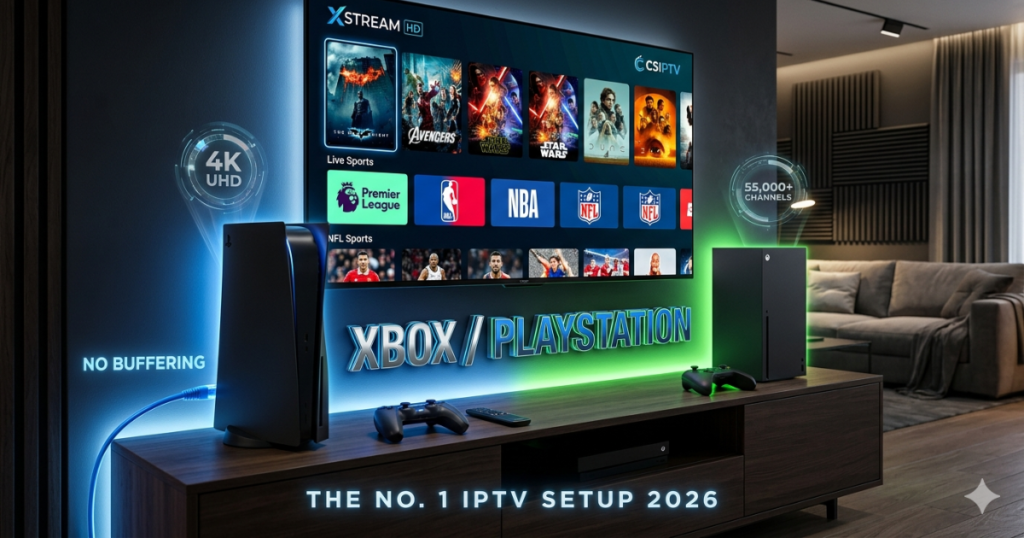
The modern gaming console has evolved into the ultimate home entertainment hub. For millions of gamers worldwide, knowing how to use an Xbox/PlayStation to stream live TV is now just as important as the games themselves. As the No. 1 IPTV provider, CSIPTV offers specialized infrastructure to ensure that your console delivers a lag-free, 4K cinematic experience that traditional cable cannot match. This guide explains the seamless integration of premium streaming into your gaming ecosystem.
The Power of Xbox/PlayStation in Modern Entertainment
Today’s consoles are more than just gaming machines; they are powerful computers capable of processing high-bitrate 4K video. When you use your Xbox/PlayStation for IPTV, you utilize advanced hardware decoders that provide a smoother experience than many smart TVs. CSIPTV leverages this power to deliver over 55,000 channels with zero latency.
The international appeal of these consoles makes them the perfect platform for global content. Whether you are in Europe, Asia, or the Americas, your console acts as a bridge to international news, movies, and sports. CSIPTV ensures that our server routes are optimized specifically for the high-speed networking capabilities of the Xbox and PlayStation hardware.
Why CSIPTV is the No. 1 Choice for Console Users
CSIPTV has earned its reputation as the No. 1 international provider by focusing on stability and quality. We understand that console users expect the same high performance from their streaming as they do from their games. Our 2026 infrastructure includes dedicated servers that prevent the buffering common with inferior providers.
We offer a massive library that includes 4K, FHD, and HD options tailored for the Xbox/PlayStation environment. Our service includes a specialized EPG (Electronic Program Guide) that works perfectly with console interfaces, making navigation fast and intuitive. Choosing CSIPTV means choosing the most reliable pathway to premium global entertainment.
Setting Up IPTV on Xbox Series X and Series S
The Xbox ecosystem is highly friendly toward IPTV applications thanks to the Microsoft Store. To begin, search for a compatible player like “Any IPTV Player” or “MyIPTV Player” directly on your console. These apps are designed to handle massive playlists of over 20,000 channels in just seconds.
Once you install your chosen app, you will need to enter your CSIPTV credentials. We recommend using Xtream Codes rather than a standard M3U URL because it provides a more stable connection and faster channel switching. Simply enter the server URL, your username, and password provided in your CSIPTV welcome email to sync your content.
Navigating the PlayStation 5 Media Environment
While the PlayStation Store is more restrictive with third-party IPTV apps, you can still enjoy a premium experience. Many users utilize the built-in web browser or “Media Gallery” features to access their streaming dashboards. For a more professional setup, we recommend using a “Plex” or “Kodi” integration which can be installed on the PS5 to manage your CSIPTV playlists.
The PS5’s high-speed SSD and advanced GPU ensure that even the heaviest 4K streams load instantly. By using CSIPTV, you ensure that the content quality matches the legendary visual fidelity of the PlayStation brand. Our technical team provides specific PS5 optimization tips to help you get the most out of your console’s media capabilities.
Best IPTV Players for Your Gaming Console in 2026
Selecting the right application is vital for a smooth experience on your Xbox/PlayStation. For Xbox, “Any IPTV Player” stands out because of its ad-free interface and rapid loading times. It even supports QR code integration, allowing you to transfer your playlists from your mobile device to your console effortlessly.
- Any IPTV Player: Best for Xbox users who want speed and simplicity.
- IPTV Smarters Pro: The global standard for a rich, EPG-driven interface.
- Kodi: A highly customizable media center perfect for PlayStation power-users.
- TiviMate: Ideal for those who prefer a traditional cable-box layout.
These players are tested and verified to work with CSIPTV’s high-speed servers. They support advanced features like “Favorites” and “Catch-up TV,” ensuring you never miss a moment of your favorite international shows.
Streaming Live International Sports on Your Console
The Xbox/PlayStation is the perfect platform for watching live sports in 4K. CSIPTV provides dedicated feeds for the Premier League, NFL, NBA, and UFC with latency dropped below 15 seconds for live events. This is crucial for sports fans who want to avoid spoilers from social media or neighbors.
Our service includes all major sports networks such as Sky Sports, beIN Sports, and ESPN. By using your console, you can easily switch between your favorite game and a high-stakes football match with a single button press. CSIPTV’s commitment to quality ensures that fast-moving sports remain sharp and fluid on your big screen.
Understanding M3U vs. Xtream Codes for Consoles
When configuring your Xbox/PlayStation for IPTV, the format of your playlist matters. An M3U URL is a long text string that contains your entire channel list. While functional, it can be cumbersome to type using a console controller and may take longer to load.
Xtream Codes is the superior method for console users. It splits your credentials into four simple parts: Server URL, Username, Password, and Port. This method allows for better EPG integration and more reliable updates. CSIPTV provides both options, but we always recommend Xtream Codes for the most professional console setup.
Troubleshooting Common Connection Issues on Consoles
Sometimes, you might encounter technical hurdles while streaming on your Xbox/PlayStation. The most common issue is a “Connection Timeout,” which usually indicates a network-level block or an outdated app version. Always ensure your console’s system software and your IPTV app are fully updated to the latest 2026 versions.
If you see a black screen but hear audio, your app might be struggling with the video codec. Try switching to “Hardware Decoding” in your app settings to let the console’s GPU handle the work. For “Authentication Failed” errors, double-check your username and password, as even a single incorrect character will block your access to CSIPTV.
The Importance of a Wired Ethernet Connection
While the Xbox/PlayStation has excellent Wi-Fi chips, a wired Ethernet connection is the “gold standard” for 4K streaming. Wi-Fi signals can be unstable and are prone to interference from other household devices, leading to buffering during peak viewing hours.
| Connection Type | Recommended Speed | Best Use Case |
| Ethernet | 25 Mbps+ | 4K HDR Sports and Movies |
| 5Ghz Wi-Fi | 50 Mbps+ | HD Content in the same room |
| 2.4Ghz Wi-Fi | 10 Mbps+ | SD Content or simple browsing |
An Ethernet cable eliminates these variables, providing a constant stream of data to your console. This ensures that your CSIPTV service remains crystal clear even during high-bandwidth events like the Super Bowl or a World Cup final.
Using a VPN for Privacy and Global Content
International streaming often involves navigating regional restrictions. Using a VPN on your Xbox/PlayStation can help you access localized content that might otherwise be blocked in your area. It also provides an extra layer of privacy, keeping your streaming habits invisible to your ISP.
While consoles don’t support VPN apps natively, you can easily set one up through your router. This covers every device in your home, including your console, with encrypted protection. CSIPTV is fully compatible with all major VPN providers, ensuring you can enjoy your global 4K content with total peace of mind.
Optimizing Video Settings for a 4K Experience
To truly enjoy the 55,000+ channels on CSIPTV, you must optimize your console’s video output. Ensure that your Xbox/PlayStation is set to “4K UHD” in the system display settings. If your TV supports it, enable HDR10 or Dolby Vision to enhance the color and contrast of your favorite movies and sports.
Inside your IPTV app, look for a “Video Buffer” setting. Increasing this to 2 or 3 seconds can help prevent minor stutters if your internet speed fluctuates. CSIPTV streams are designed to be high-fidelity, so providing your console with the best possible display environment is key to a cinematic home experience.
Managing Your Playlist for Faster Loading
A massive playlist of 55,000 channels can sometimes overwhelm a console’s memory if not managed correctly. Many IPTV apps allow you to hide categories or countries that you don’t watch. This reduces the initial load time significantly, allowing your Xbox/PlayStation to reach your favorite channels in just 5-6 seconds.
CSIPTV organizes its content into logical groups, making it easy for you to select only what you need. We recommend creating a “Favorites” list for your most-watched channels. This ensures that when you turn on your console, you are only a couple of clicks away from the live action.
Multi-Device Syncing with Your Console
One of the best features of modern IPTV is the ability to sync your settings across multiple devices. When you set up CSIPTV on your Xbox/PlayStation, your favorites and watch history can often be shared with your mobile phone or tablet. This means you can start a game on your console and finish watching it on your phone in bed.
Apps like “IPTV One” or “IPTV Smarters Pro” offer cloud sync features that make this process automatic. CSIPTV supports multiple simultaneous connections depending on your plan, ensuring that every member of your household can enjoy their own content on their preferred device.
Future-Proofing Your Media Hub in 2026
The technology behind IPTV is constantly evolving, with 8K proof-of-concepts and AI-driven stream stabilization already entering the market. Your Xbox/PlayStation is built to handle these future updates, making it a sustainable choice for your home media hub. CSIPTV remains at the forefront of these innovations, constantly upgrading our servers to match the latest hardware capabilities.
By choosing the No. 1 provider, you ensure that your streaming setup remains cutting-edge for years to come. We are committed to providing the most stable and feature-rich service in the international market. Your gaming console is no longer just for games—it is your window to the world of 4K entertainment.
Elevate Your Gaming Console with CSIPTV
Transforming your Xbox/PlayStation into a world-class streaming device is a simple and rewarding process. This guide has shown you how to leverage the power of your console to access 55,000+ channels with the world’s No. 1 provider. From easy setup with Xtream Codes to the benefits of a wired connection, you now have all the tools for success.
Don’t settle for mediocre streaming when you have a powerhouse console at your disposal. Join the CSIPTV family today and experience the future of international television in stunning 4K. Your ultimate entertainment experience is just an app installation away.
Frequently Asked Questions (FAQs)
Is it legal to watch IPTV on my Xbox or PlayStation?
Streaming through licensed IPTV providers is a safe and reliable way to access content, and using a VPN is often recommended by experts for added privacy.
Will using my console for IPTV cause it to overheat?
No, modern consoles are designed for heavy workloads, and streaming 4K video is significantly less demanding than playing high-end video games.
Do I need a separate subscription for each app on my console?
No, your CSIPTV subscription credentials can be used in any compatible IPTV application you choose to install on your Xbox or PlayStation.
Can I watch 4K content on the older Xbox One or PlayStation 4?
While these consoles support IPTV, 4K streaming is generally reserved for the more powerful Xbox Series X/S and PlayStation 5 models.
What is the fastest way to add my CSIPTV playlist to my Xbox?
Using a player that supports QR code integration is the fastest method, as it allows you to skip typing long URLs with your controller.