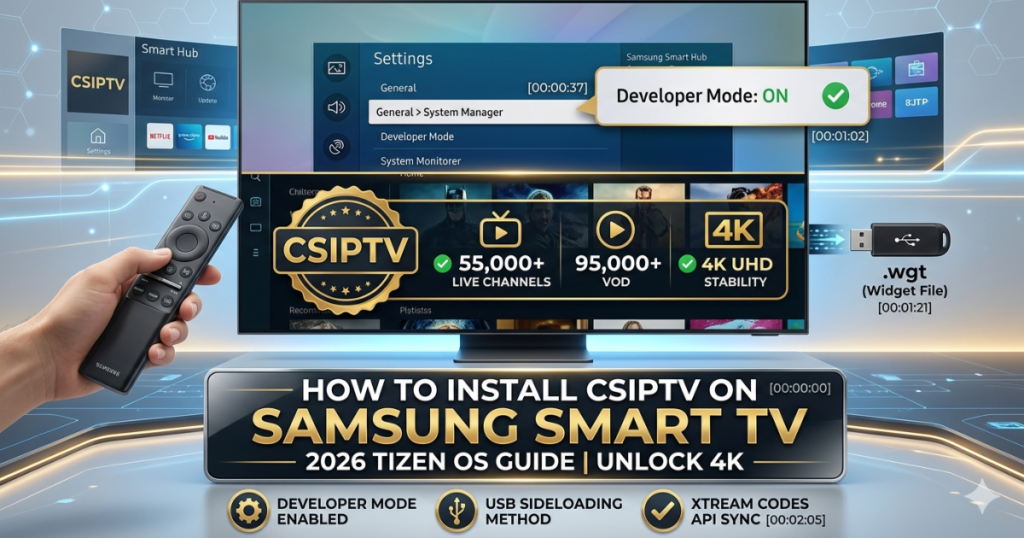
Elevating Your Samsung Smart TV Experience
Whether you own a high-end Neo QLED, a cinematic OLED, or a stylish The Frame, your Samsung Smart TV is designed for premium content. However, the Tizen OS (Samsung’s proprietary operating system) can sometimes be restrictive regarding third-party OTT services.
At CSIPTV, we have developed a streamlined method to help you bypass these restrictions and enjoy 55,000+ channels directly through your Samsung Smart Hub. By following this guide, you will transform your Crystal UHD or lifestyle TV into a global entertainment powerhouse.
Preparing Your Tizen OS for CSIPTV Installation
Before installing any advanced streaming application, you must configure your TV’s internal settings. Because Samsung Smart TV apps are often in the .wgt (Widget File) format rather than Android’s .apk, the process requires a few specific steps.
Step 1: Enable Developer Mode & Unknown Sources
- Navigate to the Settings menu on your Samsung Smart Remote.
- Go to General > System Manager.
- Highlight the Software Version and press the enter button repeatedly until the Developer Mode popup appears.
- Enter the default PIN Code (00:00).
- Toggle Developer Mode to ON and take note of your TV’s IP Address.
Method 1: The USB Sideloading Process
If the app is not currently visible in the Samsung App Store, USB Sideloading is the most reliable alternative.
- Format your Drive: Ensure your USB flash drive is formatted to FAT32.
- Download the Widget: From our Download Page, grab the CSIPTV .wgt file.
- Transfer: Copy the file into a folder named “userwidget” on the root of your USB drive.
- Install: Plug the USB into the port on your Samsung Smart TV. The Samsung Smart Hub will automatically detect the file and begin installation.
Method 2: Connection via Xtream Codes API
Once the app is installed, the best way to enjoy Global Channels is through the Xtream Codes API. This method is superior to a standard M3U URL because it automatically populates your EPG (Electronic Program Guide) and provides faster loading for VOD (Video on Demand).
- Open CSIPTV: Find the app in your Samsung TV Apps list.
- Enter Credentials: Use the unique Username, Password, and Server URL provided in your CSIPTV Pricing Plan.
- Sync: Click “Login” to sync your 55,000+ channels and 95,000+ VOD titles.
Troubleshooting Samsung-Specific Technical Issues
Samsung’s One UI for TV is robust, but connectivity or “Geo-blocking” issues can occasionally occur.
| Problem | Potential Solution |
| App Not Loading | Perform a “Reset Smart Hub” in the self-diagnosis menu. |
| Buffering on 4K | Switch from Wi-Fi to a wired Ethernet connection for more stability. |
| “Unknown Source” Error | Ensure your TV’s Firmware Update is current. |
| Content Missing | Check if your Samsung Account is logged in and active. |
For persistent stuttering, please refer to our deep-dive guide on Fixing IPTV Buffering 2026 to optimize your network settings.
Semantic Competitors: Why Choose CSIPTV?
While there are other options like IPTV Smarters Pro, SmartOne IPTV, or TiviMate, CSIPTV is specifically optimized for the 2026 Tizen hardware. We provide a low-latency experience that rivals SET IPTV and Nanomid, but with a more intuitive interface tailored for the SolarCell Remote.
FAQs for Samsung Smart TV Users
1. Is CSIPTV available on older Samsung models?
Yes, our service supports almost all Tizen-based models from 2017 onwards, including The Serif and The Frame.
2. Do I need a Samsung Account to use the app?
While not always required for sideloading, having an active Samsung Account ensures your apps update correctly.
3. What is the best connection for 4K UHD?
For Neo QLED models, we recommend Wi-Fi 6 or a direct Ethernet line to ensure a steady 25Mbps+ for 4K HDR content.
4. Can I use an M3U8 Playlist?
Absolutely. You can input your M3U Playlist directly into the app settings.
Professional Streaming on Your Samsung TV
Your Samsung Smart TV is capable of so much more than basic cable. Unlock the true potential of your display with the world’s most stable IPTV service.
- Test the Quality: Get your 24-Hour Free Trial and see the 4K difference.
- Join the Family: Purchase the 12-Month Plan for €39.99 and transform your home cinema.