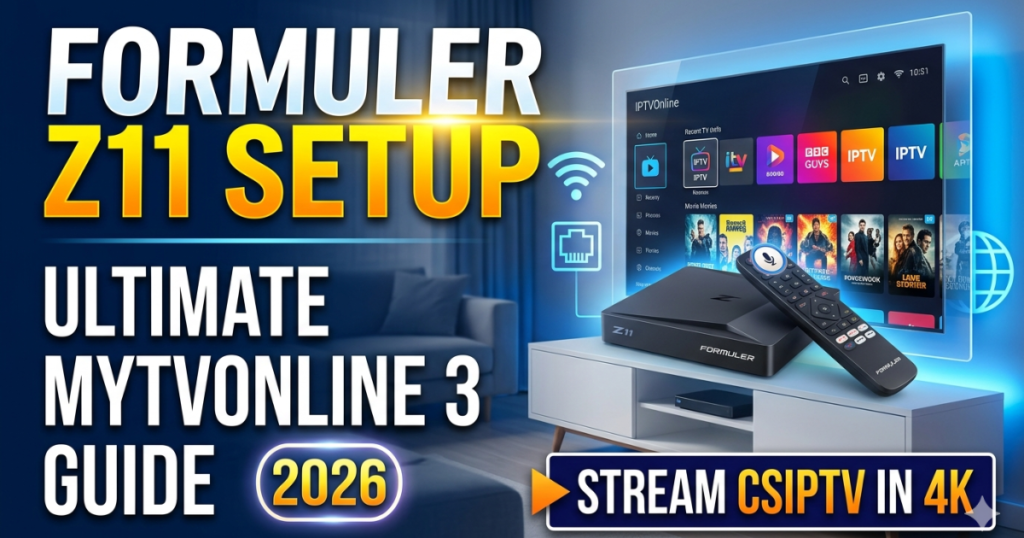
Unboxing and Initial Hardware Connections
Acquiring the powerful Formuler Z11 box marks the first step toward achieving an elite home entertainment experience this year. This state-of-the-art Android streaming machine utilizes a robust Realtek processor and a Mali-G57 graphics processing unit to deliver fluid visuals. Therefore, users must execute the physical hardware assembly carefully to guarantee optimal data transmission speeds right from the start. We recommend establishing a clean, well-ventilated media station to maintain peak performance during heavy 4K streaming sessions.
First, insert the premium high-speed HDMI cable directly into the output port of your Formuler Z11 box. Connect the opposite end of the cable to your primary smart television’s main HDMI input port immediately. Next, attach the dedicated power adapter to the wall outlet and boot up your digital media player for the first time. For absolute network stability, plug an Ethernet cable directly from your home internet router into the Gigabit LAN port.
Connecting to Your Home Network and Wi-Fi
Once the system boots, the clean on-screen installation wizard guides you through the foundational configuration menus automatically. You must select your preferred language and calibrate your television screen margins to ensure the interface elements fit perfectly. Therefore, completing this initial wizard properly allows you to begin the core Formuler Z11 Setup phase without any structural delays. The software will prompt you to connect to the internet to verify your active operating system components.
If you choose a wireless network layout instead of a wired Ethernet cable, select your local Wi-Fi SSID name. Enter your secure network password using the advanced bluetooth voice remote controller to establish a secure wireless data stream. The device will automatically check for critical firmware system updates from the official Formuler server network. Always allow the machine to complete these automated updates completely to secure the latest media decoding features.
Launching the Premier MYTVOnline 3 Application
The undeniable star of this high-end media streamer is the exclusive, built-in MYTVOnline 3 application platform. This dedicated software stands in a league of its own, delivering a completely ad-free, ultra-responsive digital television environment. Therefore, launching this application allows you to organize thousands of premium international channels into a beautifully integrated layout. To unlock these advanced features, you must learn the correct methods to link your premium CSIPTV subscription data.
Locate the bright MYTVOnline 3 icon on your main dashboard screen and press the center OK button to open it. The application will immediately welcome you with a clean, intuitive menu prompting you to add a content source. This application handles massive data lists effortlessly, ensuring swift channel zapping speeds that match traditional satellite television networks perfectly. Preparing your login details beforehand guarantees a smooth onboarding experience as you move to the next phase.
Method 1: Configuring Xtream Codes API Login
The most efficient and reliable method to activate your premium television channel list involves utilizing modern API connection credentials. This approach replaces long, complex text files with a secure, easily manageable digital connection profile inside your media system. Therefore, executing a clean Xtream connection is the top recommendation within this comprehensive Formuler Z11 Setup manual. This protocol syncs your hardware with our server network automatically to deliver instant channel updates.
- Profile Name: Enter a recognizable title like “CSIPTV Premium” to identify your primary server connection easily.
- Portal URL: Input the secure server web address provided inside your official subscriber activation email exactly.
- Credentials: Type your unique personal username and account password into the designated fields using the remote.
Once you enter these three essential data points correctly, navigate down to the main connection button and press OK. The MYTVOnline 3 software will instantly establish a link with our high-speed servers to download your channel guide. This connection method provides automated electronic program guide parsing to keep your weekly entertainment schedules perfectly synchronized. You achieve a modern, fully interactive television menu that displays live show details instantly across your entire screen.
Method 2: Installing Portals via MAC Address ID
Some international clients prefer utilizing traditional portal systems that link directly to the physical hardware identity of their box. The Formuler Z11 series handles this architecture beautifully by generating a dedicated virtual MAC address specifically for the MYTVOnline 3 app. Therefore, you can choose this specific activation route if your provider utilizes server-side hardware lock configurations. We ensure complete compatibility with this classic connection framework to accommodate every consumer preference.
To discover your unique identity string, look at the main connection menu screen inside the active application interface. Provide this specific alphanumeric ID code to our technical team to register your box on our high-speed network. Next, click on the “Add Portal” option and enter our official server address into the Portal URL field. Save the configuration profile to allow the Formuler system to authenticate your hardware registry automatically.
Method 3: Loading Custom M3U Playlists
Advanced tech enthusiasts frequently enjoy utilizing open-source playlist files to achieve total control over their personalized media selections. The Formuler Z11 accommodates this workflow perfectly by allowing users to import external file links directly into the system database. You can read our detailed breakdown on what is M3U playlist to understand how these structures operate. This method gives you the ultimate freedom to run highly customized media setups.
To load your custom link, select the “M3U Playlist” option from the primary source selection menu screen. Enter the complete file link provided by your provider carefully, ensuring absolute character accuracy throughout the entire string. The MYTVOnline 3 system will scan the file layout to categorize your channels, movies, and series automatically. Consequently, you gain immediate access to over 25,000 international streams without executing any manual categorization steps.
Customizing and Pinning Your Favorite Groups
Once the initial data synchronization completes, the application gives you the incredible opportunity to customize your visual dashboard. If you watch the same channels frequently, you can pin specific categories to the absolute top of your menu. Therefore, mastering these personalization tools is a vital part of completing a professional Formuler Z11 Setup process. You eliminate the hassle of scrolling through massive international directories to locate your preferred daily content.
Navigate to the channel group selection sidebar and highlight the specific category your family enjoys watching together regularly. Press the dedicated menu button on your remote control to reveal the advanced organization options sidebar instantly. Select the “Pin Group” parameter to move that specific folder directly to the top of your main directory layout. This structural modification allows you to access your favorite news and sports stations with a single click.
Optimizing Video Codecs for Flawless 4K Streams
The Formuler Z11 box features native hardware decoding capabilities for the most advanced digital video codecs available globally today. To enjoy a pristine, stutter-free viewing experience, you must ensure your device utilizes these compression technologies correctly. For instance, studying a comprehensive h265 vs h264 codecs comparison 2026 setup reveals the massive benefits of modern decoding systems. The H.265 codec delivers breathtaking 4K resolution while reducing your network bandwidth requirements by half.
Our premium CSIPTV servers transmit data using highly optimized AV1 and H.265 formats to protect your visual fidelity. The Formuler hardware processes these incoming data packets effortlessly using its integrated graphics engine to prevent annoying frame drops. Consequently, you receive sharp, vivid colors and smooth motion tracking during fast-paced cinematic action sequences or live sports. Configuring your media box to prioritize hardware decoding guarantees a premium, theater-quality atmosphere inside your home.
Setting Up Picture-in-Picture for Live Sports
Sports enthusiasts often face difficult choices when multiple high-profile matches occur at the exact same hour of the day. The Formuler Z11 completely resolves this dilemma by introducing an advanced, smooth Picture-in-Picture (PIP) viewing mode. This feature allows you to monitor two separate live events on your television screen simultaneously without experiencing any lag. Therefore, learning to activate this tool enhances your multi-tasking capabilities significantly during major athletic tournaments.
While watching a live sports channel, open your main guide menu and locate the secondary station you wish to track. Highlight the channel, press the menu button, and select the dedicated “PIP” icon to activate the split-screen layout. The device will instantly display both streams smoothly, allowing you to track every critical play in real time. You can hold the red button on your remote control to switch the main audio feed between screens instantly.
Managing Parental Controls and Channel Locks
Maintaining a safe, family-friendly viewing environment is a top priority for responsible households with young children today. The MYTVOnline 3 app includes a comprehensive parental control suite that allows you to lock mature content categories securely. This protective layer ensures that younger family members only access age-appropriate educational programs and animated series. Setting up these digital locks takes less than one minute within the primary security settings panel.
- Default PIN Access: The system utilizes a universal factory configuration PIN code of “0000” for all initial security alterations.
- Locking Groups: Navigate to the specific channel folder you wish to restrict and press the yellow button on your remote.
- Customizing Passwords: Update the master security PIN inside the main system settings menu to establish your personal password.
Once locked, the restricted channels will require the input of your personal passcode before displaying any active video streams. This security feature operates silently in the background, providing total peace of mind when children use the main television. You can manage these parental boundaries dynamically as your family’s viewing needs evolve throughout the year.
Exploring Premium Localized European Content
Many of our international clients require access to authentic regional television programming from across the Atlantic Ocean regularly. We fulfill this demand perfectly by maintaining an extensive network of high-speed servers throughout the European continent today. For example, you can discover our specialized network features by exploring our best iptv germany 2026 analysis. We integrate top-tier European channels directly into our standard service lists for global viewers.
Our servers deliver these international broadcasts in full high definition with perfectly synchronized localized electronic program guide data. This means you can track foreign broadcasting schedules accurately according to your local household time zone parameters. The advanced Formuler hardware handles these diverse regional data streams flawlessly without requiring manual language pack installations. We bridge the geographical gap between nations to deliver premium global culture straight to your screen.
Designing a Clean and Wireless Media Station
A premium modern home theater system looks best when you eliminate ugly, tangled cables and large external receiver equipment. The compact physical footprint of the Formuler Z11 allows you to achieve a beautiful, minimalist living room aesthetic easily. Because our service runs entirely over your high-speed internet connection, you do not need ugly satellite dishes or copper wall cables. You achieve a clean, professional look that enhances your interior home design.
The advanced Bluetooth voice remote control operates perfectly without requiring a direct line of sight to the box itself. Therefore, you can mount the Formuler unit discreetly behind your flat-screen television using simple adhesive mounting brackets. This wire-free layout looks incredibly modern, sleek, and efficient while delivering twenty-five thousand live international broadcasts instantly. Your home media station transforms into an elegant, high-tech digital portal without disrupting your household styling.
Backup and Restore Your Custom App Settings
Investing time into customizing your channel lists, pinned groups, and parental locks makes your system highly personal and efficient. To protect this valuable configuration layout from accidental loss, the MYTVOnline 3 platform includes an automated backup utility. You can export your entire system profile to an external USB storage drive or local network folder easily. This backup security feature ensures that you never have to repeat the manual setup process.
Insert a formatted USB flash drive into the high-speed USB 3.0 port located on the side of the box. Navigate to the main application settings, select the “Backup & Restore” menu path, and click on “Backup App Data.” If you ever need to reset your box, simply return to this menu to restore your profile instantly. This professional data management option reflects the premium, consumer-focused design philosophy of the Formuler ecosystem.
Accessing the Comprehensive CSIPTV Support Network
If you encounter unexpected network drops or configuration questions during your setup journey, our team remains ready to help. We provide an extensive library of device manuals and downloadable installation materials directly on our digital platform. You can visit our dedicated download section to explore the latest verified software tools for your household hardware. We empower our global community with the precise knowledge needed to manage their systems.
Furthermore, you can learn about our operational history, service values, and technology roadmap by exploring our about us directory. For independent device evaluations, verified retail accessories, and advanced security tips, we suggest checking iptvsmartersofficiel.shop safely. We invest heavily in premium customer infrastructure to guarantee a completely secure and reliable streaming journey for every subscriber. We build long-term trust through honest communication and exceptional technical execution across our platform.
Around-the-Clock Engineering and Customer Care
Maintaining an uninterrupted, world-class television stream requires continuous server monitoring and responsive technical care throughout the year. Therefore, we maintain a dedicated group of professional support engineers to assist our international clients twenty-four hours a day. Whether you need help setting up your portal or adjusting your buffer sizes, our team delivers immediate solutions. We protect your viewing peace of mind during major live events and holiday weekends.
Our technical support infrastructure is easily accessible through multiple rapid communication channels on our main digital website. If you encounter a playback issue, you can utilize the interactive WhatsApp chat button for instant human help. You can also file a formal help ticket or browse our extended knowledge base on the official contact page. We work diligently around the clock to ensure your premium digital streaming experience remains completely flawless.
Elevate Your Home Entertainment Today
In conclusion, completing your Formuler Z11 Setup accurately unlocks a spectacular world of premium, borderless international entertainment. By combining the elite hardware of Formuler with the unmatched server power of CSIPTV, you create the ultimate media system. You receive over 25,000 live channels, pristine 4K resolution, and the most advanced IPTV interface available in 2026. There is no longer any reason to tolerate restrictive cable contracts.
Our flexible subscription packages, comprehensive device tutorials, and dedicated customer care teams guarantee a perfect streaming transition. We invite you to join our rapidly expanding global community and reclaim complete control over your television today. Visit our official homepage right now to activate your free trial pass or select your premium package tier. Your front-row seat to the ultimate future of high-definition digital media is just one click away.
Foire Aux Questions (FAQ)
Can I use the Formuler Z11 remote control to manage my television’s power and volume?
Yes, the Formuler advanced hybrid remote features dedicated infrared learning keys designed to clone your existing TV controls easily. Press and hold the TV button for five seconds until the LED turns solid to enter learning mode. Aim both remotes at each other and press the corresponding keys to transfer the commands instantly.
What should I do if the MYTVOnline 3 app displays an error code 7 or 403?
Error codes 7 and 403 typically indicate an incorrect portal URL string or an expired subscription account status. Double-check your login characters inside the content source edit menu to ensure perfect accuracy. If the error continues to display, visit our contact page to verify your subscription status with our support team.
Is it possible to record a live television show while watching a different channel?
Yes, the Formuler Z11 allows you to record an active broadcast while enjoying a completely different program simultaneously. To use this feature, you must have an external USB hard drive connected to the box to store the video data. Ensure your subscription plan supports multiple active connections to enable simultaneous streaming and recording.
How often does the electronic program guide (EPG) refresh its show listings?
The MYTVOnline 3 application refreshes its integrated program guide database automatically every twenty-four hours through our secure cloud connection. This automated sync ensures that your show descriptions and timing brackets remain completely accurate throughout the week. You can also force a manual refresh inside the guide menu.
Can I try the CSIPTV service on my Formuler box before purchasing a long-term plan?
Yes, we provide a completely free one-day trial pass for all new clients to evaluate our server speed and picture quality. You can request this trial instantly on our website without providing any sensitive credit card information. This allows you to experience our premium 4K streams firsthand before selecting a plan from our pricing directory.
Ready to Master Your Formuler Z11 Experience?
Don’t let complicated configurations keep you from enjoying world-class 4K television.
- Step 1: Head over to our official pricing section and select your ideal streaming plan.
- Step 2: Follow our step-by-step Xtream Codes method to link your box to our high-speed servers.
- Step 3: Access over 25,000 live global channels and 100,000 movies instantly in gorgeous 4K.Contact our 24/7 Support Team now to activate your line!