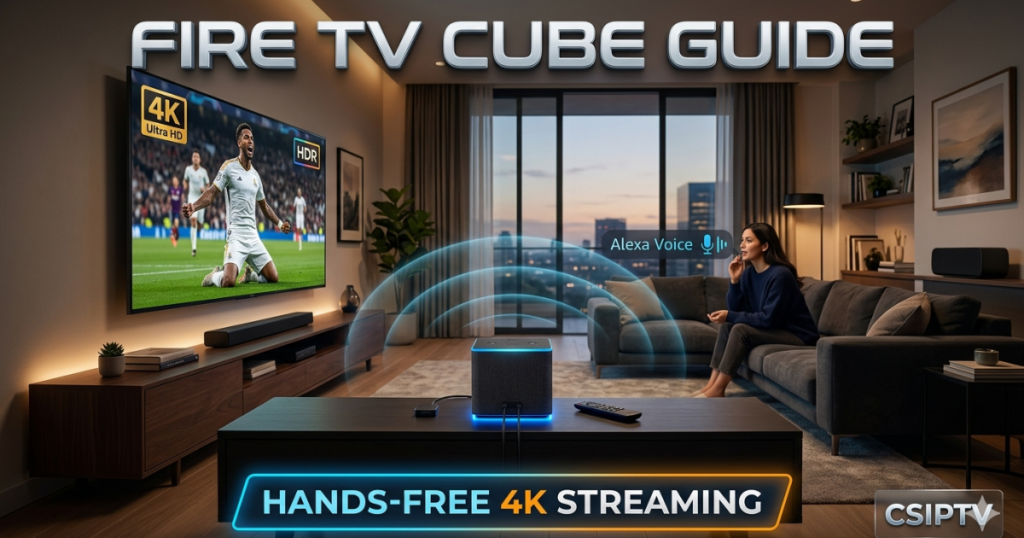
The Amazon Fire TV Cube (3rd Gen) represents the pinnacle of high-performance streaming technology for 2026. This device combines a powerful media player with a smart home hub, retailing for approximately $139.99. It provides a hands-free, all-in-one entertainment experience that allows you to control your TV, soundbars, and even cable boxes through simple voice commands. Consequently, this Fire TV Cube Guide will help you master the setup to enjoy elite streaming through CSIPTV.
Our service integrates perfectly with the Cube’s advanced hardware to deliver a cinema-like atmosphere. By utilizing its superior processing power, you can access thousands of international channels with zero lag. Furthermore, the Cube’s built-in Alexa microphones mean you can manage your entire viewing schedule without ever touching a remote. Therefore, choosing the Fire TV Cube is the smartest way to upgrade your home theater setup this year.
Optimal Placement for Voice Performance
To ensure Alexa hears your commands clearly, you must place the Cube in an optimal location. We recommend keeping the device at least 1 to 2 feet away from any large speakers. Therefore, you should avoid placing it inside closed cabinets or behind your television set. An open area allows the internal microphones to function at their maximum potential.
Furthermore, clear placement prevents the Cube’s audio from interfering with its own voice recognition sensors. This ensures that even during a loud action movie, the device can still hear your “Alexa” wake word. Consequently, you will experience much more reliable hands-free control for your daily entertainment. Proper positioning is the first step in this Fire TV Cube Guide to achieving a seamless smart home experience.
Physical Connections and Hardware Setup
The back of the 3rd Gen Cube features a variety of essential ports for high-end connectivity. First, connect the HDMI OUT port directly to your TV’s primary HDMI input. For the most stable 4K experience, we strongly suggest using the ethernet port for a wired internet connection. Thus, you avoid the potential interference and speed drops common with standard Wi-Fi networks.
Next, plug the power adapter into a wall outlet to boot the device for the first time. If you have external devices like a soundbar, you can utilize the HDMI IN port to route them through the Cube. Consequently, the Fire TV Cube becomes the central brain of your entire living room setup. This hardware integration is a major reason why users should follow this Fire TV Cube Guide for a professional-grade installation.
Pairing Your Remote and Registration
Once the device powers on, follow the on-screen instructions to pair your Alexa Voice Remote. If the remote does not pair automatically, simply hold the “Home” button for 10 seconds. This puts the remote into discovery mode and forces a connection with the Cube. Therefore, you can quickly navigate through the initial welcome menus without any technical delays.
Furthermore, you must connect the device to your internet and register it with your Amazon account. This step activates your personalized recommendations and allows you to download essential apps from the store. If you are switching from other platforms, our why leave netflix article explains the benefits of this transition. Completing the registration unlocks the full power of the Amazon ecosystem for your streaming pleasure.
Hands-Free Alexa Voice Commands
The standout feature of the Fire TV Cube is its ability to operate without a physical remote. You can simply say, “Alexa, turn on the TV” to begin your viewing session instantly. Similarly, you can request specific shows by saying, “Alexa, play Stranger Things” or your favorite sports channel. This Fire TV Cube Guide emphasizes using these voice shortcuts to save time and effort.
Moreover, the Cube can control your volume and switch inputs using only your voice. This is incredibly helpful when you are multitasking or have misplaced your remote control. You can also ask Alexa for weather updates or to dim your smart lights during a movie. Consequently, your entertainment center becomes a fully interactive hub that responds to your every need. Hands-free control represents the future of home entertainment in 2026.
H.265 vs H.264: Maximizing Video Quality
The 3rd Gen Fire TV Cube supports the most advanced video codecs available today. To get the most out of your hardware, you should understand our h265 vs h264 codecs comparison 2026. The H.265 codec allows for high-quality 4K streaming while using significantly less bandwidth. Therefore, the Cube can deliver a sharper picture even if your internet speed fluctuates.
Furthermore, our CSIPTV app utilizes these codecs to provide a buffer-free experience for live events. You will notice deeper colors and smoother motion during fast-paced scenes. This technical superiority ensures that your hardware is never the bottleneck in your streaming chain. Consequently, following this Fire TV Cube Guide helps you appreciate the subtle technical details that make a massive difference in visual fidelity.
Installing CSIPTV for Global Access
To access the best international content, you must install our dedicated application on your Cube. Navigate to the “Find” section on the home screen and search for our app or use the Downloader tool. You can find detailed steps in our download section for all Fire TV devices. This allows you to bypass regional restrictions and enjoy global television instantly.
Moreover, our app is optimized specifically for the Fire TV Cube’s powerful octa-core processor. This means you get instant channel zapping and rapid loading for all VOD content. We offer a variety of plans for every user on our pricing page. Consequently, your Cube becomes a portal to over 25,000 live channels from around the world. Installing our software is the most important part of this Fire TV Cube Guide.
Streaming the Tour de France 2026
Cycling fans will find the Fire TV Cube to be the perfect companion for major summer events. You can follow every stage with our tour de france 2026 streaming guide. The Cube’s 4K capabilities bring the beautiful French landscapes to life in stunning detail. Therefore, you will never miss a single breakaway or sprint finish during the race.
Additionally, you can use the picture-in-picture mode to watch multiple sports feeds at once. This is perfect for days when several major events overlap on the calendar. We provide dedicated sports networks that cover the Tour from start to finish. Consequently, the Fire TV Cube ensures you have a front-row seat to one of the world’s greatest sporting spectacles. Our service makes sports viewing more immersive than ever before.
Fire TV Cube vs Google TV
Many users wonder if they should choose the Cube over other popular sticks. In our google tv chromecast csiptv installation guide, we highlight the differences in performance. While Chromecast is portable, the Fire TV Cube offers much faster processing and built-in hands-free Alexa. Therefore, the Cube is the better choice for a permanent and powerful home theater setup.
Furthermore, the Cube’s additional ports allow for more flexible hardware configurations. You can easily add external storage or specialized audio equipment without needing expensive adapters. The Fire TV interface is also highly optimized for voice search across multiple streaming services. Consequently, for the power user, this Fire TV Cube Guide proves that Amazon’s flagship device remains the market leader in 2026.
Accessing Content in South Africa
Our service provides world-class streaming for users across the African continent. If you are a resident, please check our best iptv south africa 2026 guide for specific tips. The Fire TV Cube works excellently with local ISPs to provide a stable viewing experience. You can enjoy local news, sports, and international blockbusters with total ease.
Moreover, we have optimized our servers to ensure low latency for users in Johannesburg and Cape Town. This means your live sports will always be perfectly synced with the global broadcast. We provide a massive library of content that caters to the diverse tastes of the South African audience. Consequently, the Cube is the ideal device for bringing premium global entertainment to your home in the region.
Connecting Soundbars and Audio Systems
The Fire TV Cube acts as a high-end audio controller for your entire living room. You can connect your soundbar via HDMI or Bluetooth for a more immersive soundstage. This Fire TV Cube Guide recommends using the HDMI ARC/eARC port for the best audio synchronization. Therefore, you can enjoy Dolby Atmos and other surround sound formats with your favorite movies.
Furthermore, you can use your voice to adjust the volume or change the audio mode of your soundbar. This eliminates the need for multiple remotes cluttering your coffee table. The Cube also supports multi-room music, allowing you to play the same audio across all your Alexa devices. Consequently, you create a synchronized and powerful audio environment throughout your entire home. Mastering audio control is a key part of the Cube’s appeal.
Using the Fire TV Cube in New Zealand
Kiwis also benefit from the extreme power and versatility of the Amazon Cube. We have a dedicated best iptv new zealand article for our fans in the Pacific. The Cube handles the long-distance data transmission perfectly, ensuring that your streams remain stable. Therefore, you can watch international sports like cricket and rugby in 4K without any buffering issues.
Additionally, the hands-free Alexa feature works seamlessly with the local accent and regional commands. You can ask for local weather or news updates while your favorite show is playing. We provide 24/7 support to ensure that New Zealand users get the most out of their subscription. Consequently, the Fire TV Cube is the top choice for any Kiwi family looking to modernize their TV habits.
Troubleshooting Common Setup Issues
If you encounter a black screen or a frozen menu, the first step is to check your HDMI cable. Ensure that you are using a high-speed HDMI 2.1 cable for the best 4K results. Therefore, you should avoid using older cables that may not support the Cube’s high bitrate output. A simple restart of the device often fixes minor software glitches immediately.
Furthermore, if Alexa is not responding, check that the “Mute” button on the top of the Cube is not active. A red light on the device indicates that the microphones are turned off. Consequently, identifying these small visual cues can save you a lot of time during troubleshooting. If you need further help, visit our contact page for professional technical assistance. Most issues are easy to solve with a few simple checks.
Security and Privacy on the Fire TV Cube
Amazon provides several tools to help you manage your privacy while using the Cube. You can manually disable the microphones using the button on top of the device whenever you wish. Therefore, you have total control over when the device is listening for your commands. We also recommend visiting iptvsmartersofficiel.shop for extra security tips and verified accessories.
Moreover, you can manage your data sharing settings within the main Alexa app on your phone. This allows you to delete voice recordings and limit targeted advertising on your device. Using a secure connection with CSIPTV further protects your viewing habits from prying eyes. Consequently, you can enjoy a world-class streaming experience without compromising your personal privacy. A secure home hub is essential for peace of mind in the digital age.
Advanced Settings for Power Users
For those who want to push their hardware to the limit, the Cube offers several “Developer Options.” You can enable these to sideload specialized tools or monitor your real-time network performance. This Fire TV Cube Guide suggests using these features to fine-tune your buffer settings for 4K streams. Therefore, you can achieve a “zero-latency” feel even on complex international channels.
Additionally, you can customize the home screen to show your most-used apps and categories. This makes navigating through our 25,000+ channels much faster and more intuitive. You can also set up profiles for different family members to keep their recommendations separate. Consequently, the Fire TV Cube becomes a truly personalized device that adapts to your unique lifestyle. Exploring these settings is highly rewarding for any tech enthusiast.
The King of Streaming Devices
In conclusion, this Fire TV Cube Guide has shown why this device is the ultimate choice for 2026. By combining powerful hardware, hands-free voice control, and smart home integration, it offers an experience that no stick can match. Whether you are watching international sports or the latest 4K movies, the Cube delivers consistent and premium performance.
Furthermore, our CSIPTV service unlocks the true potential of this hardware by providing the best global content. We invite you to read more about us to see how we are revolutionizing the world of digital media. Join the thousands of users who have already upgraded their homes with this incredible setup. Your journey to the perfect home theater starts with the Fire TV Cube and CSIPTV.
Foire Aux Questions (FAQ)
Can the Fire TV Cube control my cable box?
Yes, the Fire TV Cube features an internal IR blaster that can send signals to your cable or satellite box. You can simply say, “Alexa, switch to cable” or “Alexa, tune to ESPN” to control your existing services. This makes it a true all-in-one controller for your entire setup.
Do I need a special remote for the Fire TV Cube?
The Cube comes with the Alexa Voice Remote, which includes dedicated power and volume buttons for your TV and audio equipment. However, the device is designed to be used primarily with your voice. You can perform almost every function without ever touching the remote.
How do I update the software on my Fire TV Cube?
The Cube usually updates itself automatically during the night when it is not in use. However, you can manually check for updates by going to Settings > My Fire TV > About > Check for Updates. Keeping your software current ensures you have the latest features and security patches.
Is the Ethernet adapter included with the Fire TV Cube?
Yes, the 3rd Gen Fire TV Cube has a built-in Ethernet port on the back of the device. Unlike the smaller Fire TV Sticks, you do not need to purchase a separate adapter to enjoy the stability of a wired internet connection.
What happens if I forget my Amazon registration?
If you lose access to your account, you can reset the device to factory settings by holding the “Back” and “Right” buttons on your remote for 10 seconds. This will allow you to register the Cube with a new account and start the setup process from scratch.
Upgrade Your Living Room Today!
The ultimate hands-free experience is just one step away.
- Step 1: Check our pricing and pick your plan.
- Step 2: Follow our guide to set up your Fire TV Cube.
- Step 3: Experience the world’s best IPTV in stunning 4K. Get Your CSIPTV Subscription Now!