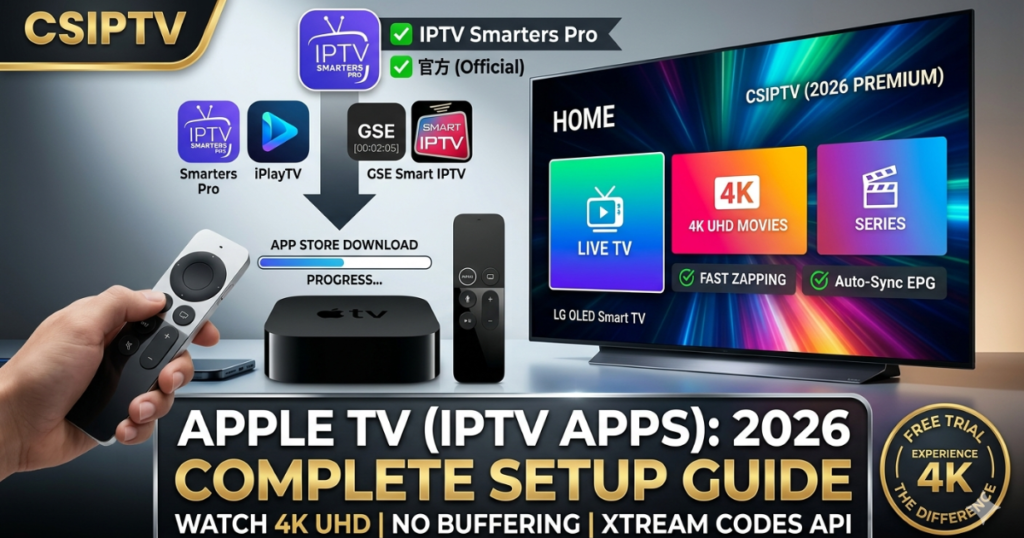
Why Apple TV 4K is the Ultimate IPTV Hardware
The Apple TV (IPTV Apps) experience is smoother than any other platform. With the 2026 Apple TV 4K, users benefit from hardware-level frame rate matching and HDR10+ support. CSIPTV leverages this power to deliver 60fps sports and lossless audio that cheaper sticks simply cannot process.
Top 3 Recommended Apple TV (IPTV Apps) for 2026
Since Apple does not allow direct APK installations, you must download a professional player from the App Store.
- IPTV Smarters Pro: The most versatile app for beginners. It supports the Xtream Codes API and provides a clean dashboard for Live TV and VOD.
- iPlayTV: Widely considered the best-looking app for tvOS. It features a modern “Apple-style” interface and incredible EPG integration.
- GSE Smart IPTV: A powerful option for those who prefer using M3U playlists and advanced network configurations.
Step-by-Step: How to Install CSIPTV on Apple TV
Setting up your subscription is straightforward. Follow these steps to get started:
- Open the App Store: On your Apple TV home screen, go to the App Store.
- Search for a Player: Search for “IPTV Smarters” or “iPlayTV” and click Download.
- Launch the App: Once installed, open the application.
- Enter Credentials: Select “Login with Xtream Codes API.”
- Any Name: CSIPTV
- Username: (Found in your CSIPTV Download Portal)
- Password: (Your secure CSIPTV password)
- URL:
http://csiptv.link:8080
- Start Streaming: Click “Add User” and wait for the 4K channels to sync.
Exclusive Information from the CSIPTV Download Center
Based on our official Download Page, we provide dedicated support for Apple TV users that goes beyond just a login.
- Multi-Codec Support: Our Apple TV streams use the AV1 and HEVC codecs, ensuring the highest quality even if your internet speed fluctuates.
- Auto-Sync EPG: On Apple TV, our EPG updates in the background, so you never see “No Information” on your favorite channels.
- Direct Support: If you encounter an “Invalid Login” error, our download center provides a one-click reset for your MAC address to clear the session.
Bypassing ISP Restrictions on tvOS
Apple TV handles networking differently than Android. Many Australian and UK ISPs try to block IPTV traffic at the DNS level. To fix this:
- Go to Settings > Network > Wi-Fi/Ethernet.
- Select Configure DNS and switch to Manual.
- Enter 1.1.1.1 (Cloudflare) or 8.8.8.8 (Google).
- This ensures a direct, unthrottled connection to the CSIPTV servers.
Mastering the Apple TV (IPTV Apps) Interface
To truly unlock the potential of your premium hardware, choosing the right software is essential, and many users find that the official IPTV Smarters application offers the most stable and feature-rich environment for Apple TV (IPTV Apps).
This platform excels by providing a native-feeling interface that integrates perfectly with the Apple ecosystem, allowing for fluid navigation through 4K movie libraries and live sports categories with zero input lag. By pairing the high-performance A-series processing of your Apple TV with our optimized server nodes, you ensure that every stream is delivered with the bit-rate precision required for a theater-quality experience at home.
CSIPTV Pricing for Apple TV Users
All plans include access to our specialized Apple TV optimized servers.
| Plan | Price | Connections | Special Feature |
| Basic | €14.99 | 1 Device | 4K UHD Access |
| Standard | €25.99 | 2 Devices | Anti-Freeze Pro |
| Elite | €39.99 | 3 Devices | VIP Apple Support |
Frequently Asked Questions (FAQs)
1. Can I use the Apple TV remote to change channels?
Yes, our recommended Apple TV (IPTV Apps) are fully compatible with the Siri Remote touch surface, allowing for fast scrolling through our 120k+ VOD library.
2. Does Apple TV support 4K 60fps streaming?
Absolutely. CSIPTV provides dedicated 4K 60fps feeds for sports like the Formula 1 Monaco GP, which look incredible on Apple hardware.
3. Why is my app asking for a MAC address?
Some apps like IBO Player use the MAC address to link your subscription. You can find this in your Apple TV settings under About.
4. Can I use AirPlay with CSIPTV?
Yes, you can stream from your iPhone to your Apple TV using the CSIPTV mobile credentials.
5. Is there a dedicated CSIPTV app for Apple TV?
We recommend using IPTV Smarters or iPlayTV as the host, as they are specifically tuned for the latest tvOS updates.
Elevate Your Apple TV Experience
Your Apple TV 4K is a powerhouse; don’t let it go to waste with low-quality content. Join CSIPTV today and experience global television exactly the way Apple intended—in stunning, buffer-free 4K.
- Test it Out: Get your 24-Hour Free Trial and see the Apple TV difference.
- Full Access: Buy the 12-Month Elite Plan and enjoy 3 connections for your entire household.