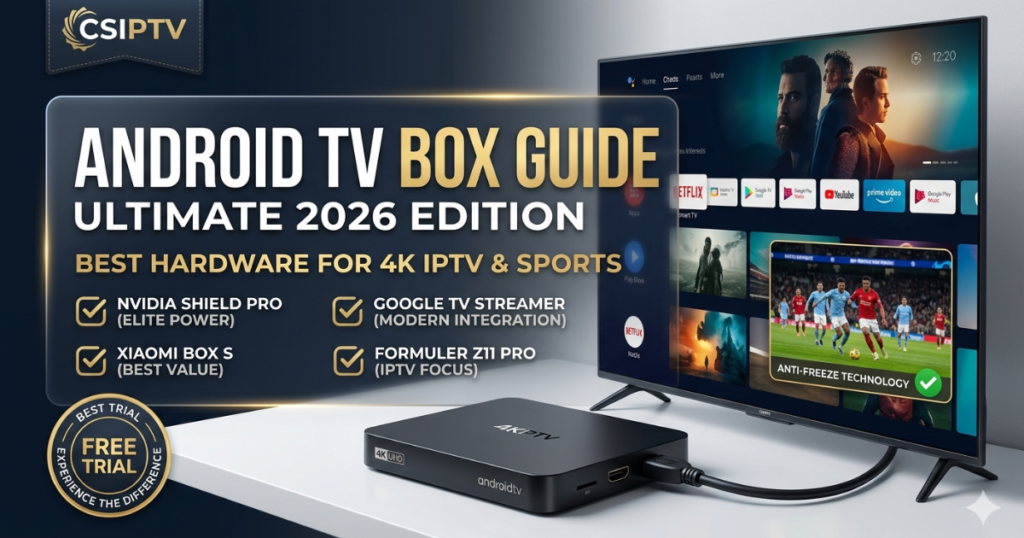
Why You Need a Dedicated Android TV Box Guide
In 2026, the streaming landscape has shifted toward high-bitrate 4K and 8K content. While many “Smart TVs” have built-in apps, they often lack the processing power to handle a massive Premium IPTV Subscription. This Android TV Box Guide is designed to help you choose hardware that supports Anti-Freeze Technology and high-speed Xtream Codes integration.
At CSIPTV, we believe in Redefining digital entertainment. Whether you want the absolute power of an Nvidia Shield or the budget-friendly Xiaomi Mi Box, this guide ensures your hardware is a perfect match for our #1 rated service.
Top Recommended Hardware for 2026
To provide the Best IPTV USA 2026 experience, your box must handle 60fps 4K video without overheating.
The 2026 Android TV Box Comparison Table
| Device | Best For | Key Feature | Storage / RAM |
| Nvidia Shield Pro | Elite Power Users | AI 4K Upscaling | 16GB / 3GB |
| Google TV Streamer | Modern Integration | Gemini AI Support | 32GB / 4GB |
| Xiaomi TV Box S (3rd Gen) | Best Value | WiFi 6 Connectivity | 32GB / 2GB |
| Formuler Z11 Pro | Pure IPTV Focus | MyTVOnline 3 App | 16GB / 4GB |
Setting Up CSIPTV on Your Android TV Box
Setting up your device is simple, but doing it correctly is the key to a lag-free experience. Most users in our Android TV Box Guide prefer using the Xtream Codes API method because it is faster than loading a heavy M3U Playlist.
- Download the App: Use the Google Play Store to install IPTV Smarters Pro or TiviMate.
- Enter Credentials: Input the Username, Password, and Server URL provided by CSIPTV.
- Enable Hardware Decoding: Go to settings and ensure “Hardware Acceleration” is active. This allows the GPU to handle the 4K stream, which is the best way to Fix IPTV Buffering.
- Optimize EPG: Set your EPG Guide to update every 24 hours to ensure you have the latest schedules for USA, UK, and French channels. For French-specific optimization, visit IPTV Smarters Officiel.
Why CSIPTV is the #1 Choice for Android Users
We have optimized our servers specifically for the Android TV ecosystem. When you use an Android Box with our service, you unlock features that standard cable can’t match.
- 99.9% Uptime: Our Anti-Freeze Technology is built into the server-side handshake, ensuring that even mid-range boxes stream smoothly.
- Massive Content: Enjoy 55,000+ live channels and a VOD library of 95,000+ movies in 4K.
- Multi-View Ready: High-end boxes like the Nvidia Shield can stream up to 4 matches at once using our service—perfect for World Cup or UFC nights.
Pricing, Trials, and Refund Policy
We offer simple pricing for everyone with no hidden fees.
- 1-Day Free Trial: Test our service on your Android TV Box for 24 hours without paying.
- 30-Day Money-Back Guarantee: We are so confident in our quality that we offer a full refund if you aren’t satisfied.
- Secure Payments: Purchase your plan via our encrypted checkout and receive your details in under 5 minutes.
Top Budget-Friendly Android TV Boxes for 2026
While the Nvidia Shield Pro is the gold standard, many users require a capable secondary device for a bedroom or office that can still handle a Premium IPTV Subscription without breaking the bank. In 2026, the market for budget Android TV Boxes has matured significantly, offering excellent 4K performance for under $100. These devices are often optimized for AV1 codec decoding, which is the future of efficient high-definition streaming.
- Google TV Streamer: The best all-around integration with Google Home and Gemini AI. It offers 32GB of storage, ensuring you can install TiviMate, VLC, and a VPN without running out of space.
- Xiaomi TV Box S (2nd Gen): A classic budget king that remains competitive in 2026. It supports Dolby Vision and HDR10+, making it a perfect match for our 4K movie library.
- Onn. 4K Pro (Walmart): For users in the USA, this device offers surprising performance, a backlit remote, and a built-in Google Assistant speaker for hands-free control.
Why You Need to Unlock Developer Options on Android TV
To truly follow this Android TV Box Guide and install the best third-party IPTV players, you must navigate beyond the basic Google Play Store ecosystem. Many highly optimized players are only available via sideloading. To achieve this, you must first “unlock” the device’s hidden operating system settings, a process that is standardized across almost all Android 11 and Android 12 television devices in 2026.
- Navigate to Settings > Device Preferences > About.
- Scroll down and click the ‘Build’ number seven times rapidly. A notification will appear saying, “You are now a developer!”
- Go back one level to find the new Developer Options menu.
- Locate and enable USB Debugging (optional but recommended for advanced troubleshooting).
- Most importantly, go to Settings > Apps > Security & Restrictions and enable Install Unknown Apps for your file manager (like Downloader). This is the key step that allows you to install optimized APKs that Fix IPTV Buffering.
Essential Maintenance for Your Android TV Box
Even the most powerful hardware can suffer from performance degradation over time. An Android TV Box operates similarly to a smartphone; it accumulates cached files, background processes, and memory leaks that can lead to stuttering in your 4K streams. This Android TV Box Guide emphasizes that regular maintenance is non-negotiable for a professional streaming setup.
| Maintenance Task | Frequency | Technical Benefit | How-To |
| Clear App Cache | Weekly | Frees up system RAM and storage space for smooth buffer management. | Settings > Apps > [Select App] > Clear Cache. |
| Force Restart | Weekly | Resets the operating system kernel and clears temporary memory leaks. | Unplug power for 10 seconds, then plug back in. |
| Check for Updates | Monthly | Installs new security patches and performance fixes from the manufacturer. | Settings > Device Preferences > About > System Update. |
| Optimize Storage | Monthly | Removes unused apps and massive downloaded files that slow down file index reading. | Settings > Storage > [Delete unused items]. |
Take Control of Your Android TV Box
Don’t settle for the slow interface on your Smart TV. Follow this Android TV Box Guide, choose the right hardware, and experience the world’s #1 rated IPTV service.
- Try 100% Free: Get your 1-Day Trial and test our 4K stability today.
- Unlimited 4K Access: Purchase the 12-Month Plan for €39.99 and never look back!
[UPGRADE MY ANDROID TV BOX NOW]
FAQs: Android TV Box Guide
1. Which Android TV Box is best for CSIPTV?
For the absolute best performance, the Nvidia Shield Pro is the winner due to its AI Upscaling. For a budget-friendly option, the Xiaomi TV Box S is excellent.
2. Can I use an M3U Playlist on these boxes?
Yes, but as mentioned in this Android TV Box Guide, we recommend Xtream Codes for faster performance and better EPG Guide organization.
3. How do I Fix IPTV Buffering on Android TV?
Ensure you are using a wired Ethernet connection instead of Wi-Fi and clear your app cache weekly.
4. Is there a setup for French users?
Yes! For the most stable French-language servers, visit IPTV Smarters Officiel.
Upgrade Your Home Cinema
Don’t settle for the limited apps on your Smart TV. Follow this Android TV Box Guide, get the right hardware, and pair it with the world’s #1 IPTV service.
- Start for Free: Claim your 24-Hour Trial today.
- Go Pro: Choose your 12-Month Plan and experience the 4K difference.
[GET THE #1 ANDROID TV BOX SERVICE NOW]